Ads Manager Meta Workflows That Save Agency Time
Save agency time with Ads Manager Meta workflows for briefs, builds, QA and reporting, so campaigns launch cleaner and faster.
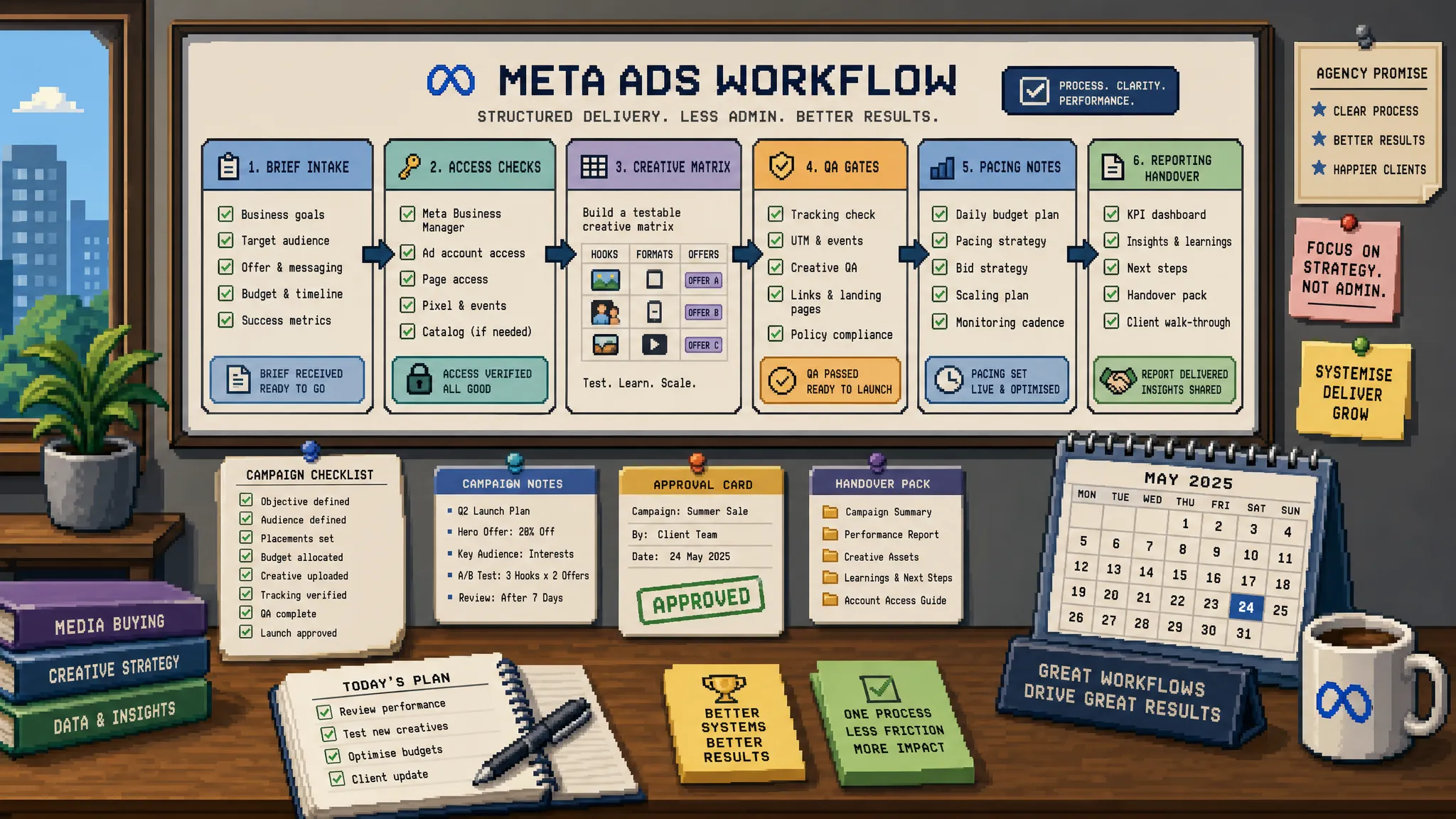
If your agency runs Meta campaigns for multiple clients, the real time drain is rarely one single task. It is the quiet accumulation of small delays: missing access, unclear objectives, duplicated campaign builds, creative uploaded in the wrong format, last-minute QA, and reporting notes scattered across Slack, email and spreadsheets.
That is why better workflows matter. Ads Manager can feel busy, but it becomes much easier to manage when your team treats campaign delivery as a repeatable operating system rather than a set of one-off jobs.
The goal is not to make your Meta work robotic. It is to remove unnecessary admin so strategists and account managers can spend more time on judgement calls, client communication and performance decisions.
Where agency time disappears in Meta Ads Manager
Most agencies do not lose time because their team lacks platform knowledge. They lose it because the inputs around Meta Ads Manager are inconsistent.
A campaign build might start before the landing page is signed off. A client might approve creative but forget to confirm the offer. A junior team member may duplicate a previous campaign and carry over the wrong attribution setting. Someone might rename ad sets after launch, making reporting harder later.
These are not dramatic failures, but they create friction. Across five, ten or twenty client accounts, that friction quickly becomes margin erosion.
The most common time leaks include:
- Incomplete briefs that force the paid media team to chase answers.
- Unconfirmed access to Business Manager, ad accounts, pixels and pages.
- No shared naming convention across campaigns, ad sets and ads.
- Manual creative handling with no agreed file naming or copy matrix.
- Campaign QA happening after launch pressure has already built.
- Reporting commentary being written from scratch every week.
A strong workflow prevents these issues before they reach Ads Manager.
Start with a pre-build brief that removes guesswork
The fastest Meta campaign build is the one that does not require detective work. Before anyone opens Ads Manager, the brief should answer the questions that usually slow the build down.
A practical agency brief should cover the commercial goal, target audience, campaign objective, budget, geography, conversion event, offer, destination URL, creative status, launch date and approval owner. It should also confirm what success looks like. For one client, success might be qualified leads. For another, it might be booked calls, add-to-carts, purchases or remarketing reach.
Do not rely on a vague instruction such as “launch a lead gen campaign”. That leaves too much room for interpretation. Instead, make the brief specific enough that a paid media specialist can build without stopping to ask basic questions.
For agencies, a good rule is simple: if the answer affects campaign structure, targeting, optimisation, tracking or reporting, it belongs in the brief.
If your main bottleneck is launch preparation rather than ongoing optimisation, the ideas in this guide pair well with these Meta Ads Manager tips for faster campaign launches, which focus more specifically on getting campaigns live efficiently.
Build a reusable access and tracking checklist
Access issues are one of the least glamorous but most expensive agency time drains. They also tend to appear late, often just before a promised launch.
Every Meta workflow should include an access and tracking checklist that account managers complete before work enters the paid media queue. This keeps specialists focused on delivery rather than admin follow-up.
Your checklist should confirm access to the ad account, Business Manager, Facebook page, Instagram account, dataset or pixel, catalogue if relevant, domain verification where needed, and the landing page or lead form destination.
Tracking also needs early attention. Check that the conversion event exists, fires correctly, is prioritised appropriately for the campaign goal, and maps to the reporting metric the client expects. If you are running lead generation, confirm whether leads are captured inside Meta, pushed into a CRM, emailed to the client, or tracked as website conversions.
For service-based businesses, Ads Manager performance often depends on what happens after the click. If a client’s landing page, local search visibility or conversion path is weak, paid traffic may expose that weakness rather than fix it. In those cases, conversion-focused website and local visibility support from teams such as Sleek Web Designs can be a useful foundation before scaling paid campaigns.
Standardise naming conventions before you scale
Naming conventions are boring until they save you hours.
When every campaign, ad set and ad follows the same structure, reporting becomes faster, filtering becomes easier and handovers become less painful. This is especially important for agencies where multiple people may touch the same account.
A simple naming convention might include client, platform, objective, funnel stage, audience, geography, creative angle and date. The exact structure matters less than consistency. The goal is for anyone in the agency to understand what an asset is without clicking into every setting.
Here is a practical example:
| Asset level | Example naming logic | Why it helps |
|---|---|---|
| Campaign | Client_Meta_Leads_Prospecting_UK_Jun2026 | Shows platform, objective, funnel stage, region and launch period. |
| Ad set | Broad_UK_25-54_AutoPlacements | Makes targeting and placement choices clear. |
| Ad | TestimonialVideo_OfferA_Hook1_1x1 | Connects the ad to creative format, message and variant. |
| UTM | utm_source=meta&utm_medium=paid_social&utm_campaign=leads_prospecting | Keeps analytics cleaner across GA4 and reports. |
The key is to agree the convention once, document it, and enforce it in QA. If your team debates naming every time, it is not a convention yet.
Use campaign build templates, but avoid blind duplication
Duplicating a past campaign can save time, but it can also import old problems. The safer approach is to build reusable templates for common campaign types.
For example, your agency might create template structures for lead generation, e-commerce prospecting, remarketing, event promotion or local service campaigns. Each template should include the usual campaign objective, optimisation event, budget approach, audience structure, placement logic, naming format and QA checks.
Templates are not there to remove strategic thinking. They are there to stop your team rebuilding the same skeleton again and again.
Before using a template, the specialist should still confirm whether the client’s goal, budget, conversion volume, audience size and creative assets support that structure. A low-budget local lead campaign should not be treated the same as a national e-commerce scaling campaign.
The workflow is simple: start from a proven structure, then adapt intentionally.
Create a creative and copy matrix
Creative handling is one of the biggest hidden time sinks in Meta work. Agencies often receive assets in multiple folders, with inconsistent names, unclear approvals and no obvious link between visual, copy and offer.
A creative and copy matrix solves this by mapping every ad variant before upload. It does not need to be complex. A shared sheet can track the creative file name, format, hook, primary text, headline, description, CTA, destination URL, audience, approval status and notes.
This gives the paid media specialist one source of truth. It also makes QA easier because the final ad can be checked against an approved matrix rather than a long email thread.
For agencies managing multiple stakeholders, this matrix is also a client communication tool. It lets clients approve the message, not just the image or video. That matters because many Meta ad delays come from late copy changes rather than platform setup.
Add QA gates before anything goes live
A strong QA process is one of the best time-saving habits an agency can build. It may feel like extra work, but it prevents rework, wasted spend and awkward client conversations.
The best QA happens before launch, not after a campaign has already spent budget.
Your Meta Ads Manager QA should check:
- Campaign objective, buying type, budget and schedule.
- Ad set location, age, audience, placements and optimisation event.
- Pixel or dataset selection and conversion event accuracy.
- Creative format, aspect ratio, copy, CTA and destination URL.
- Naming conventions across every level.
- UTM parameters and analytics consistency.
- Special category settings where relevant.
- Client approvals and launch timing.
For high-pressure accounts, it is worth separating build and QA responsibilities. One person builds, another reviews. Even a ten-minute second pair of eyes can catch expensive mistakes.
This is especially useful when wider account pressure is building. If your agency is juggling urgent client requests across platforms, these PPC ads best practices for agencies under pressure can help you prioritise risk instead of reacting to everything at once.
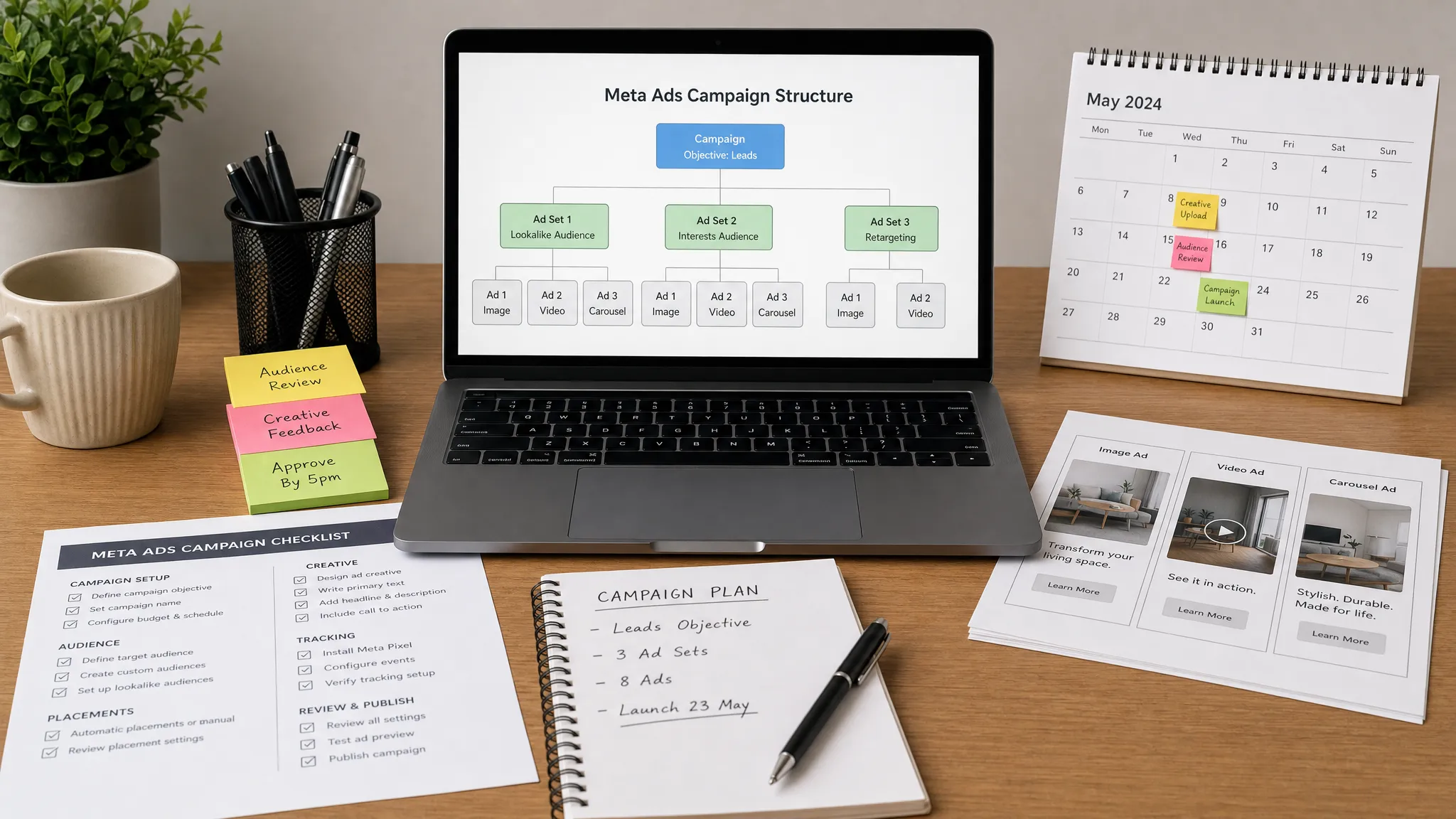
Create a daily pacing workflow that avoids over-checking
Meta Ads Manager can tempt teams into checking performance too often. This creates noise, interrupts deeper work and can lead to premature decisions.
A better workflow separates monitoring from optimisation. Monitoring confirms that campaigns are spending correctly, tracking is working and nothing has obviously broken. Optimisation is where you make strategic decisions based on enough data.
For most agency accounts, a daily pacing check can be short and structured. Review spend against budget, delivery status, conversion tracking, obvious ad disapprovals, lead flow, and any sudden performance anomalies. Capture notes in a shared log so the whole team knows what has been checked.
This reduces random account dipping. Instead of three people checking the same campaign at different times, one person completes the daily check and records the outcome.
Use a simple decision log for optimisation
Optimisation becomes messy when nobody can remember why a change was made. A decision log fixes that.
For each meaningful change, record the date, campaign or ad set affected, the reason for the change, what was changed, the expected outcome and when it should be reviewed. This creates accountability and makes future reporting easier.
It also prevents repeated debate. If the team paused an audience because it had high spend and low qualified lead volume, that context should be visible. If a client asks why a creative angle was turned off, the answer should not depend on someone remembering a Slack conversation from last Thursday.
A decision log is especially valuable for white-label or outsourced PPC delivery, where multiple people may need to understand the account quickly without exposing unnecessary internal complexity to the end client.
Batch reporting notes throughout the week
Weekly or monthly reporting takes longer when commentary is written from memory. Instead, collect insights as the account is managed.
A lightweight reporting notes workflow can include performance observations, tests launched, tests concluded, budget changes, creative learnings, tracking issues, client-side blockers and recommended next steps.
By the time reporting day arrives, the account manager should already have most of the story. They are editing and prioritising, not reconstructing the month from scratch.
This also improves report quality. Commentary becomes more specific because it is based on live observations rather than rushed end-of-period analysis.
Protect margins with clear handover rules
Agency time is often lost during handovers. This happens when a campaign moves from strategy to build, from build to QA, from QA to launch, or from specialist to account manager with missing context.
Every handover should answer three questions: what has been done, what still needs doing, and what risk or decision needs attention.
For Meta Ads Manager work, a good handover might include the campaign brief, build status, approval status, tracking notes, launch timing, QA result, known limitations and next review date. Keep it short, but make it complete.
This is where agencies can gain a real operational advantage. The team does not need more meetings. It needs cleaner handovers.
When to bring in specialist Meta Ads support
Even with strong workflows, there are moments when agency capacity becomes the constraint. A new client signs quickly. A senior paid media manager is overloaded. A campaign needs same-day turnaround. A tracking issue appears when the internal team is already at capacity.
In those situations, external specialist support can protect both delivery quality and agency margin. The right partner should fit into your existing workflow, respect your client relationship and operate without creating extra management burden.
That is the logic behind white-label PPC support. Your agency keeps the relationship and strategic ownership, while a senior paid media specialist helps with execution, troubleshooting or overflow delivery behind the scenes.
The best results come when the workflow is already clear. A specialist can move much faster when briefs, access, tracking notes, naming rules and approval processes are ready.
Frequently Asked Questions
What are Ads Manager Meta workflows? Ads Manager Meta workflows are repeatable processes for planning, building, checking, launching and managing campaigns in Meta Ads Manager. They help agencies reduce admin, avoid mistakes and make delivery more consistent across client accounts.
How can agencies save the most time in Meta Ads Manager? The biggest time savings usually come before the build starts. Complete briefs, confirmed access, tracking checks, naming conventions and creative matrices prevent delays that would otherwise appear during setup or QA.
Should agencies use duplicated campaigns as templates? Duplicating campaigns can be useful, but only if the team checks every inherited setting. A safer workflow is to create documented templates for common campaign types, then adapt them to the client’s budget, objective, audience and conversion data.
How often should Meta campaigns be checked? Agencies should separate daily monitoring from deeper optimisation. Daily checks can cover spend, delivery, tracking and obvious issues, while strategic changes should usually be based on enough performance data to make a reliable decision.
Why does QA matter if the campaign has already been approved by the client? Client approval usually confirms the offer, message and creative direction. QA checks the technical setup inside Ads Manager, including objective, budget, tracking, targeting, naming, URLs and compliance settings. Both are needed.
Need Meta Ads delivery without adding headcount?
Better workflows save time, but agencies still hit capacity limits. If your team needs senior paid media execution without recruitment, long contracts or visible third-party involvement, PPC Ghost provides white-label PPC support for agencies.
You keep the client relationship. PPC Ghost supports the delivery behind the scenes across Meta, Google, Microsoft Ads, GA4 and tracking work, with flexible pay-as-you-go support when your agency needs extra capacity.