How to Advertise on Bing Without Wasting Budget
Learn how to advertise on Bing without wasting budget, from tracking and match types to bids, settings and agency QA checks.
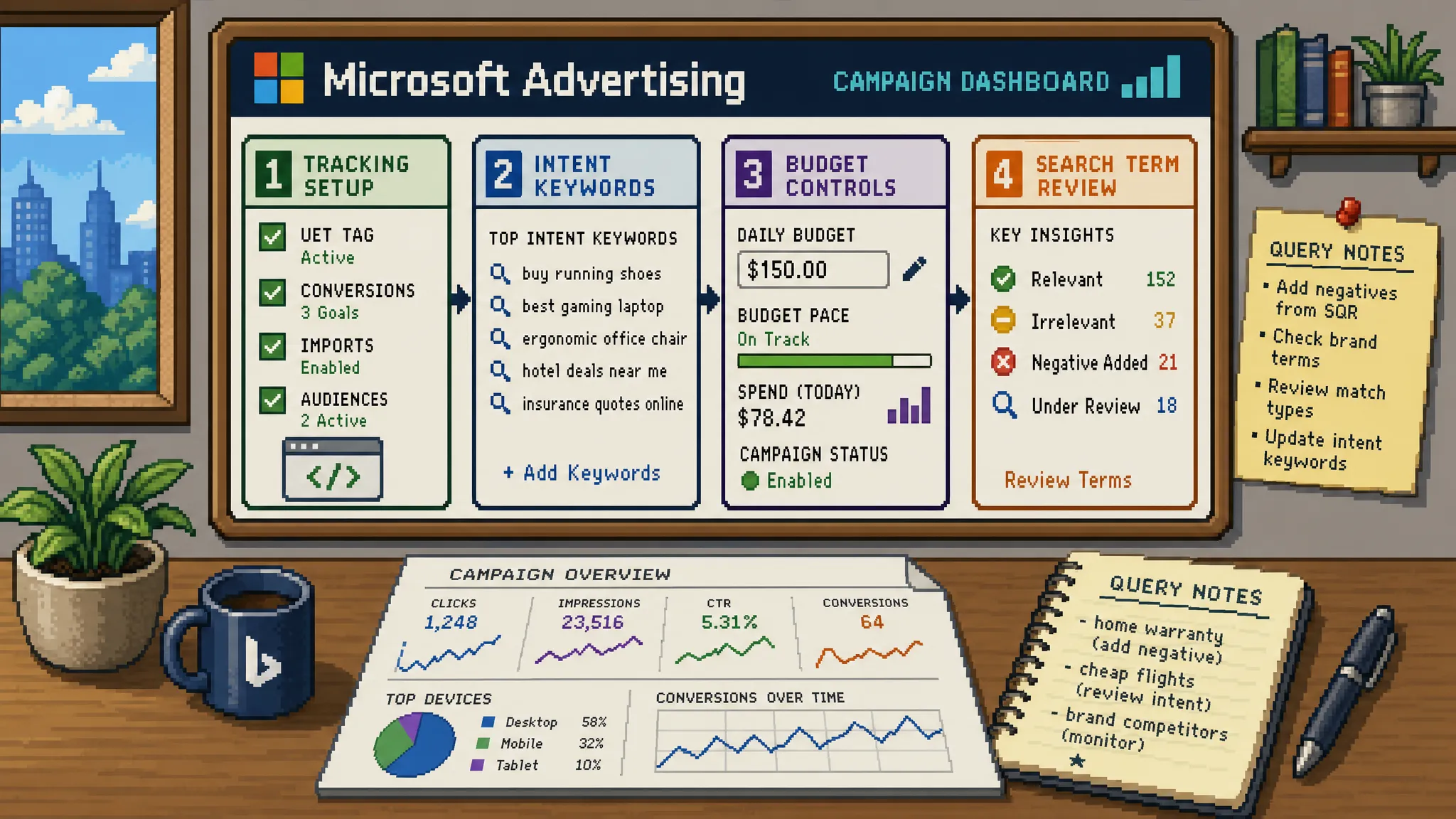
Advertising on Bing can be a strong move for agencies that want more search volume, lower dependence on Google, and access to users across the Microsoft ecosystem. The problem is that many campaigns are launched as a quick Google Ads import, with the same budgets, the same keyword bloat, and very little thought about how Microsoft Advertising behaves differently.
That is where budget gets wasted.
When people say they want to advertise on Bing, they usually mean running campaigns through Microsoft Advertising, which can include Bing, Yahoo, AOL, Microsoft partner inventory, Shopping placements, and audience products depending on your campaign settings. It is not a like-for-like copy of Google Ads, and it should not be treated like a spare change channel.
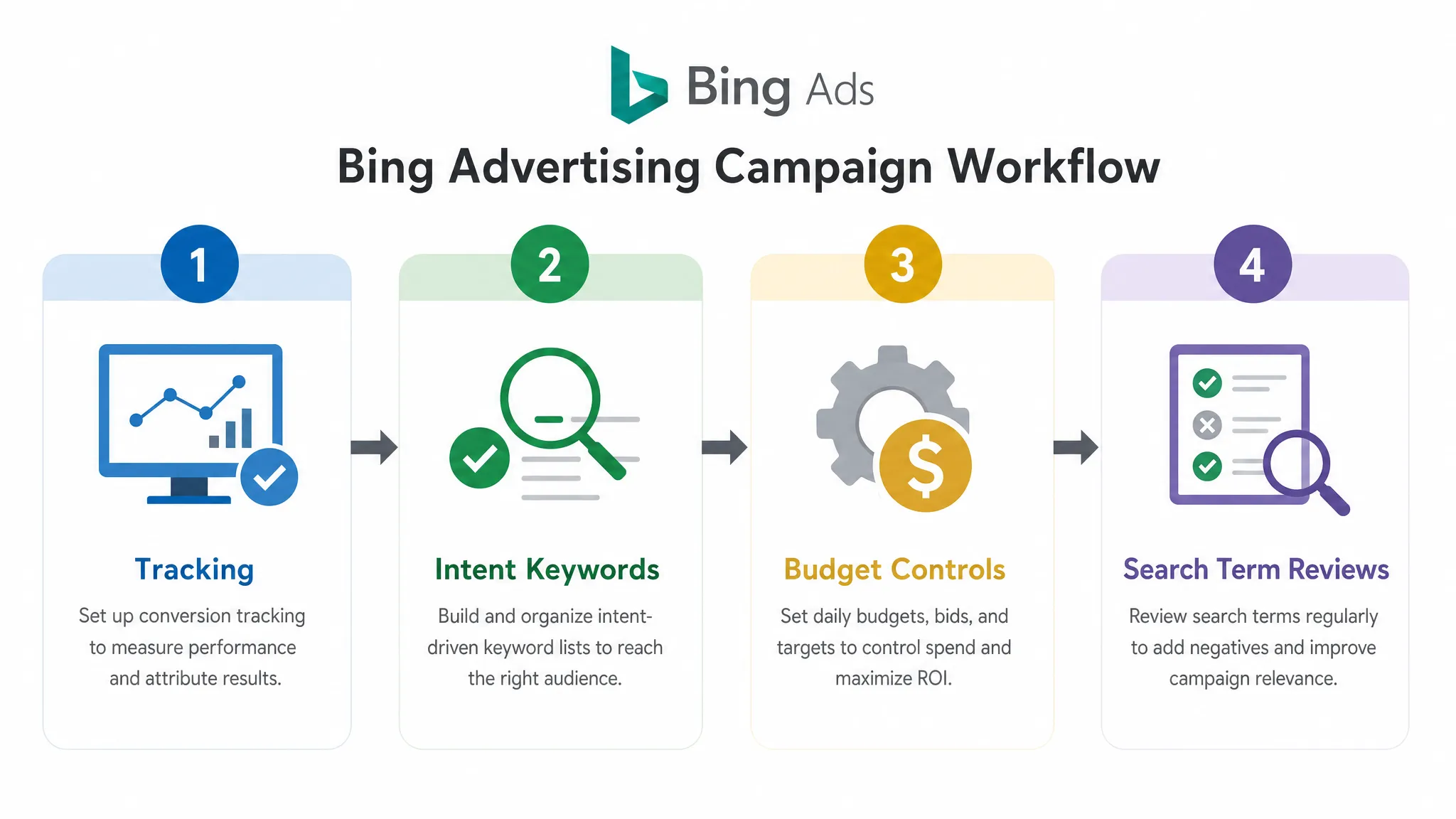
A profitable Bing setup starts with controlled intent, clean tracking, conservative testing, and regular search term reviews. This guide walks through how to advertise on Bing without letting avoidable setup mistakes eat into client spend.
Why advertise on Bing in the first place?
Bing will usually have less volume than Google, but lower volume does not mean lower value. For some sectors, especially B2B, finance, professional services, software, education, travel, and high-consideration local services, Microsoft Advertising can bring incremental leads from users who may not be reached as efficiently elsewhere.
You can check live market share by country using sources such as Statcounter’s UK search engine data, but the strategic point is simple: Bing is not likely to replace Google for most advertisers, but it can be a useful secondary paid search channel when the account is built tightly.
For agencies, the attraction is often practical:
- You can extend paid search coverage without building an entirely new channel strategy from scratch.
- You can use existing Google Ads learnings to inform keyword and landing page choices.
- You may find lower CPCs in some auctions, although this varies by sector and should never be assumed.
- You can create another source of leads or revenue if Google Ads is becoming expensive or saturated.
The main risk is treating Bing as a low-effort duplication exercise. If the Google Ads account already has wasted spend, importing it blindly usually imports the waste too.
Start with tracking before you spend a penny
The fastest way to waste budget on Bing is to optimise towards the wrong outcome. Before you build campaigns, agree what a valuable conversion actually is.
For lead generation, a form submission may not be enough. If the client gets a lot of spam, student enquiries, existing customer support requests, or low-fit leads, you need a way to separate volume from quality. For ecommerce, revenue and margin matter more than raw transaction count.
At minimum, your tracking setup should include Microsoft’s Universal Event Tracking tag, conversion goals in Microsoft Advertising, clean UTM parameters, and a secondary analytics view in GA4 or the client’s reporting platform. Microsoft’s own documentation in Microsoft Advertising Help is the best place to confirm current setup steps for UET and conversion goals.
A sensible pre-launch measurement check looks like this:
| Tracking area | Budget risk if ignored | Safer approach |
|---|---|---|
| UET tag | Campaigns cannot optimise reliably | Install and test the tag before launch |
| Conversion goal | Platform optimises for weak actions | Track meaningful actions, not every page visit |
| Lead quality | Cheap leads look successful in-platform | Pass qualified lead data back into reporting where possible |
| UTMs | Agency cannot compare channels cleanly | Standardise source, medium, campaign, and content naming |
| Consent and cookie setup | Missing or inconsistent data | Check tracking behaviour under the client’s consent setup |
Do not switch on automated bidding until you trust the conversion signal. If the platform is learning from poor or inflated data, it will find more of the same.
Decide whether to import from Google Ads or build manually
Microsoft Advertising makes it easy to import campaigns from Google Ads. This can save time, but it is also one of the most common sources of wasted spend.
Importing is useful when the Google Ads account is clean, well structured, and already filtered through strong negative keywords. It is risky when the Google account has broad match experiments, messy campaign naming, redundant ad groups, weak conversion actions, or location settings that were never properly reviewed.
| Setup option | Best for | Watch out for |
|---|---|---|
| Direct Google Ads import | Mature accounts with proven structure | Importing poor keywords, old ads, bloated budgets, and weak settings |
| Manual build | New tests, smaller budgets, or messy source accounts | Takes longer, but gives more control |
| Hybrid setup | Most agency launches | Import only the strongest campaigns, then rebuild settings and budgets manually |
If you do import, review these items before launch:
- Daily budgets and bid strategies
- Location targeting and radius settings
- Search partner distribution
- Match types and close variants
- Negative keyword lists
- Final URLs and tracking templates
- Ad copy, sitelinks, callouts, and call assets
- Conversion goals assigned to the campaign
The goal is not to replicate Google Ads perfectly. The goal is to use Google Ads learnings while adapting the account to Bing’s likely volume, audience, and cost profile.
Build campaigns around intent, not convenience
A lean Bing account usually beats a complicated one, especially in the first month. Start with the searches most likely to produce revenue, then expand once you have evidence.
For many advertisers, the cleanest structure is:
- Brand campaigns for the client’s own name, if needed and approved.
- High-intent non-brand campaigns for commercial searches.
- Competitor campaigns only where legally and commercially appropriate.
- Shopping campaigns for ecommerce accounts with a clean feed.
- Remarketing or audience campaigns kept separate from pure search testing.
Keep budgets separate wherever intent is meaningfully different. A brand campaign, a high-intent service campaign, and a broad research campaign should not fight for the same budget. If they do, the platform may spend where clicks are easiest rather than where profit is most likely.
This is especially important for agencies managing client expectations. If Bing is being tested as an incremental channel, the client needs to see which type of demand is working. A mixed campaign structure makes that harder to prove.
Start tighter with keywords and match types
Bing can reward discipline. If you launch too broadly, you may spend slowly, but you can still spend badly.
Start with keywords that show strong commercial intent. For a service business, that might include phrases such as PPC agency for ecommerce, emergency plumber near me, commercial solicitor London, or accounting software demo, depending on the client. For ecommerce, it may include product names, model numbers, brand plus product terms, and category keywords with buying modifiers.
Exact match and phrase match are usually safer starting points than broad match. Broad match can work in mature accounts, but it needs strong conversion tracking, clear negative keywords, and enough data for the system to learn. If you test broad match, isolate it so it cannot drain the budget from proven terms.
Negative keywords are not optional. Build them before launch using Google Ads search term history, internal site search data, sales team feedback, and common low-value modifiers. Typical negatives might include jobs, salary, free, template, PDF, definition, training, DIY, or reviews, but the right list depends entirely on the client’s offer.
For more general paid search waste reduction ideas, the same principles apply across channels. PPC Ghost has also covered this in PPC Google Ads tips that cut wasted spend fast.
Control the settings that quietly burn budget
Many budget leaks in Microsoft Advertising come from settings rather than keywords. They are easy to miss because they do not look dramatic in the campaign build, but they can change where ads appear and who sees them.
Use this table as a practical QA checklist:
| Setting | Common waste risk | Budget-safe recommendation |
|---|---|---|
| Location targeting | Ads show to users interested in an area but not actually in it | Choose the strictest location option that matches the client’s service area |
| Search partners | Partner traffic performs differently from Bing owned traffic | Segment performance and restrict if quality is poor |
| Audience placements | Search and audience performance get blended | Keep audience testing separate from core search campaigns |
| Ad schedule | Leads arrive when nobody can respond | Align initial schedules with sales or call handling capacity |
| Device bidding | Mobile or desktop spends without converting | Review by device once data is meaningful, then adjust |
| Auto-apply recommendations | Platform changes are accepted without strategy | Review recommendations manually before applying |
| Conversion goals | Campaign optimises to soft actions | Use primary goals that reflect real business value |
Location targeting deserves special attention. If a client only serves the UK, or only certain cities, do not rely on broad geographic assumptions. Check whether your settings target people in the location, people searching for the location, or both. The right choice depends on the business, but it should be deliberate.
Search partners are also worth monitoring. Microsoft Search Network partner traffic can be useful, but it may behave differently from Bing owned traffic. Segment performance early, especially if you see low CPCs paired with poor engagement or weak lead quality.
Be careful with bidding strategies on low data
Automated bidding is only as good as the signal it receives. In a new Bing account with limited conversion data, aggressive automation can make decisions before the campaign has enough evidence.
A controlled launch often starts with manual CPC or enhanced CPC, depending on the account and risk tolerance. This gives you more visibility into early query quality, CPC ranges, and conversion behaviour. Once the account has enough clean conversions, you can test strategies such as Maximise Conversions, Target CPA, or Target ROAS where appropriate.
The key is to avoid setting a target CPA just because the client has one in a spreadsheet. If the target is unrealistic for Bing’s auction, the campaign may underdeliver. If the target is too loose, it may overspend on weak traffic. Use early data to set bidding expectations rather than forcing the platform to hit a number from day one.
Budget allocation should also follow intent. Put the majority of the test budget behind the keywords or product groups most likely to convert. Keep experimental campaigns capped until they prove themselves.
Write ads that qualify the click
Cheap clicks are not the objective. Qualified clicks are.
Your ad copy should help users self-select before they land on the site. If the client sells premium services, say so. If they only serve businesses, make that clear. If they offer a demo, quote, consultation, audit, trial, or next-day service, use the most relevant promise in the headline or description.
Responsive search ads should include a mix of:
- Core service or product terms
- Location or market relevance where useful
- Proof points such as seniority, speed, accreditation, or specialism if true
- Clear calls to action
- Qualifiers that discourage low-fit enquiries
Avoid stuffing every headline with the same keyword. Bing campaigns often have lower volume, so ad testing can take longer. Strong initial messaging matters.
Landing pages need the same discipline. If the keyword is high intent, the landing page should answer the commercial question quickly: what is being offered, who it is for, why trust the provider, and what action should the user take next?
Use audience features as a layer, not a shortcut
One of Microsoft Advertising’s useful advantages is access to audience and professional targeting options. For example, Microsoft offers LinkedIn profile targeting across selected targeting categories such as company, industry, and job function.
That can be valuable for B2B campaigns, but it should not replace keyword intent. A finance director searching for accounting software pricing is more valuable than a finance director casually browsing unrelated content. Use audience targeting to adjust bids, refine tests, or build separate experiments, not to compensate for weak keyword strategy.
Remarketing can also help, especially for longer buying cycles. Build audiences from useful site actions, such as visits to pricing pages, demo pages, product pages, basket pages, or key service pages. Then test remarketing carefully with frequency, exclusions, and messaging that reflects where the user is in the buying journey.
For ecommerce, do not neglect the feed
If you are running Shopping campaigns on Bing, budget control starts in the product feed. Poor titles, missing attributes, weak images, incorrect categories, and uncompetitive pricing can all reduce performance before bidding even begins.
Use product segmentation to avoid giving every item the same budget priority. Bestsellers, high-margin products, seasonal items, and clearance stock may need different structures. Search term reports still matter in Shopping, because irrelevant product queries can quietly consume budget.
For ecommerce accounts, optimise towards revenue and return where possible, not just transactions. A campaign that sells low-margin products at high volume may look healthy in Microsoft Advertising but disappoint the client once fulfilment, returns, and margin are considered.
Review search terms early and often
The first few weeks of a Bing campaign are not a set and forget period. They are a filtering period.
Search term reports show what users actually typed before clicking. This is where you find irrelevant intent, unexpected opportunities, match type problems, and landing page gaps. Even if volume is modest, query quality tells you whether the account is moving in the right direction.
A practical review rhythm looks like this:
| Timing | What to check | Action |
|---|---|---|
| Before launch | Tracking, settings, budgets, negatives, URLs | Fix anything that could waste spend immediately |
| First 24 to 48 hours | Spend, impressions, disapprovals, obvious irrelevant queries | Pause errors and add urgent negatives |
| Twice weekly in month one | Search terms, CPCs, CTR, early conversions | Refine keywords, ads, and bids |
| Weekly after launch | Lead quality, conversion rate, device, location, partner traffic | Shift budget towards proven areas |
| Monthly | CPA, ROAS, assisted value, client feedback | Decide whether to scale, hold, or restructure |
Do not wait until the end of the month to check query quality. By then, a small budget leak may have become the whole test budget.
Report Bing performance separately from Google
If Bing is added to an existing paid search retainer, avoid blending it into one generic PPC line in client reporting. The client needs to understand whether Bing is providing incremental value.
Report at least the following separately:
- Spend
- Clicks and CPC
- Conversions and conversion rate
- CPA or ROAS
- Lead quality feedback
- Search term themes
- Budget changes made
- Next test recommendation
For agencies, this also protects your strategic credibility. If Bing starts slowly but shows strong query quality, the client may approve more testing. If it produces cheap but poor leads, you can show the evidence and adjust quickly.
Common mistakes that waste Bing budget
Most poor Bing campaigns fail for predictable reasons. The platform itself is rarely the issue. The issue is usually rushed setup, unclear measurement, or a lack of early optimisation.
The biggest mistakes are:
- Importing every Google Ads campaign without pruning weak areas.
- Launching broad match before conversion tracking is reliable.
- Using the same budget split as Google without considering lower volume.
- Letting brand, non-brand, and experimental traffic share one budget.
- Ignoring search partner and location performance.
- Optimising to form fills without checking lead quality.
- Judging performance too quickly when volume is low.
- Treating Microsoft Advertising as a junior channel that does not need senior oversight.
The last point matters. Smaller channels still need proper PPC thinking. In fact, because volume is lower, every click can matter more.
When agencies should get extra support
If your agency already manages Google and Meta campaigns, adding Bing may look straightforward. Sometimes it is. But if your team is already stretched, Microsoft Advertising can become another channel that gets launched, lightly checked, and slowly forgotten.
That is when white-label PPC support can make sense. PPC Ghost provides on-demand, white-label paid media execution for UK agencies across Google, Meta, Microsoft Ads, and tracking support. It is designed for agencies that need senior PPC delivery without hiring, long contracts, or putting another permanent salary on the books.
If you want to offer Bing advertising to clients without letting setup mistakes or lack of capacity eat the budget, a senior specialist can help build, QA, and optimise campaigns behind the scenes while your agency keeps the client relationship.
Frequently Asked Questions
Is Bing cheaper than Google Ads? Sometimes, but not always. CPCs can be lower in some industries, but the only numbers that matter are CPA, ROAS, lead quality, and incremental value. Do not sell Bing to clients purely as a cheaper Google.
Should I import Google Ads campaigns into Microsoft Advertising? Importing can save time if the Google Ads account is already clean and profitable. However, you should still review budgets, locations, match types, negative keywords, conversion goals, and search partner settings before launch.
What budget do I need to advertise on Bing? There is no universal minimum. Start with enough budget to gather meaningful clicks for your highest-intent keywords, but keep experimental areas capped. The right test budget depends on CPCs, sales value, conversion rate, and the client’s risk tolerance.
Which match types should I use first? Exact and phrase match are usually safer for a controlled launch. Broad match can be tested later if tracking is reliable, negatives are strong, and the campaign has enough conversion data to guide bidding.
Does Bing work for B2B advertisers? It can work well for some B2B advertisers, especially when search intent is clear and the landing page matches the buying journey. Microsoft’s audience and LinkedIn profile targeting options can add useful layers, but they should not replace strong keyword strategy.
How do I stop wasting money on Bing Ads? Focus on tracking first, launch with high-intent keywords, separate budgets by intent, review search terms early, monitor partner and location performance, and optimise towards qualified outcomes rather than cheap clicks.
Need a senior pair of eyes on Microsoft Ads?
Bing can be a profitable paid search channel, but only when it is built with the same discipline as Google Ads. If your agency wants to launch or clean up Microsoft Advertising without hiring in-house, PPC Ghost can support delivery on a white-label, pay-as-you-go basis.
Get senior PPC execution behind the scenes, keep your agency in front, and stop avoidable setup mistakes from draining client budget.