Meta Ads Manager Tips for Faster Campaign Launches
Launch campaigns faster in Meta Ads Manager with agency-ready tips for access, tracking, templates, QA and smoother client approvals.
A fast Meta launch rarely comes from moving quickly inside Meta Ads Manager on the day. It comes from removing the small blockers that normally appear before anything can be published: missing permissions, unclear tracking, late creative, unapproved copy, awkward naming and last-minute client feedback.
For agencies, those blockers are more than admin. They affect profitability, client confidence and the ability to scale paid social delivery without adding more full-time resource. The goal is not to rush campaigns live. The goal is to build a cleaner launch process so campaigns can be created, checked, approved and submitted with fewer avoidable delays.
Below are practical Meta Ads Manager tips that help agency teams move faster while keeping quality control intact.
Start with a launch-ready brief, not a loose request
The fastest campaign builders usually ask better questions before opening Meta Ads Manager. If the brief is vague, the build becomes a back-and-forth exercise. If the brief is complete, Ads Manager becomes execution rather than detective work.
A strong launch brief should make the campaign objective, offer, audience, creative, tracking and approval route obvious. It should also clarify who has authority to sign off the campaign, especially when a brand manager, founder and external agency contact are all involved.
At minimum, ask for these details before build time:
- Campaign objective, such as leads, sales, traffic or awareness
- Budget, flight dates, target locations and any exclusions
- Landing page URLs and final offer details
- Creative files, primary text, headlines and calls to action
- Page and Instagram account to be used as the ad identity
- Pixel or dataset, conversion event and any GA4 or CRM tracking requirements
- Special ad category status, if relevant
- Approval contact and deadline for sign-off
This might feel basic, but it is one of the highest-leverage improvements an agency can make. A simple brief stops senior specialists wasting time chasing missing information and helps junior account managers understand exactly what must be collected before a launch can be promised.
Sort access, billing and tracking before the build
Meta launches often stall for reasons that have nothing to do with ad strategy. The creative is ready, the client wants to go live today, then someone realises the agency cannot access the ad account, the payment method has failed, the Pixel is missing or the Page is not connected.
Before any campaign build, confirm that the right people have access to the right assets in the client’s Meta business portfolio, often still referred to as Business Manager. This includes the ad account, Page, Instagram account, Pixel or dataset, catalogue if needed and any relevant custom audiences.
Tracking deserves the same early attention. If the objective is conversions or leads, check the event you plan to optimise for before campaign creation. Open Events Manager and confirm that the event is firing, the domain is configured if needed and any server-side tracking or Conversions API setup is behaving as expected.
Meta’s own guidance explains that ads are reviewed after submission and that most reviews are completed within 24 hours, although some can take longer. You can read more in Meta’s guide to ad review. That makes it even more important not to lose half a day to permissions or tracking issues before you can submit.
Use naming conventions that reduce QA time
A messy naming structure slows everything down. It makes campaign checking harder, reporting more manual and future optimisation less reliable. A clear naming convention is one of the simplest ways to make Meta Ads Manager easier to work in, especially when multiple people touch the same account.
You do not need an overcomplicated system. You need names that make campaign purpose, audience, market, date and creative angle easy to understand at a glance.
| Level | What to include | Example |
|---|---|---|
| Campaign | Client, objective, market, funnel stage, month | ClientName_Sales_UK_Prospecting_Jun2026 |
| Ad set | Audience, location, optimisation event, placement approach | Broad_UK_Purchase_AdvantagePlacements |
| Ad | Format, creative angle, asset version, copy version | Video_Testimonial_V2_CopyA |
Consistent naming speeds up filtering, bulk editing and troubleshooting. It also helps account managers explain what is live without clicking into every ad set. For white-label or outsourced delivery, naming conventions are even more important because they let the agency keep control of reporting and client communication.
Build campaign templates instead of starting from scratch
If your agency regularly launches similar Meta campaigns, starting from a blank build every time is inefficient. Create reusable campaign structures for common scenarios, then adapt them to the client’s objective and offer.
For example, you might maintain templates for lead generation, ecommerce sales, webinar sign-ups, local service enquiries and retargeting. Each template can include typical campaign settings, placeholder naming, standard UTM parameters and common QA notes.
The key is to treat templates as controlled starting points, not shortcuts that remove thinking. When duplicating or reusing structures, always recheck dates, budgets, locations, audiences, URLs, exclusions and conversion events. A copied campaign can save time, but it can also copy old mistakes if nobody reviews it properly.
A practical agency approach is to keep a private checklist for each template. The checklist should explain what must be changed for every new client, what can stay the same and what needs senior review before launch.
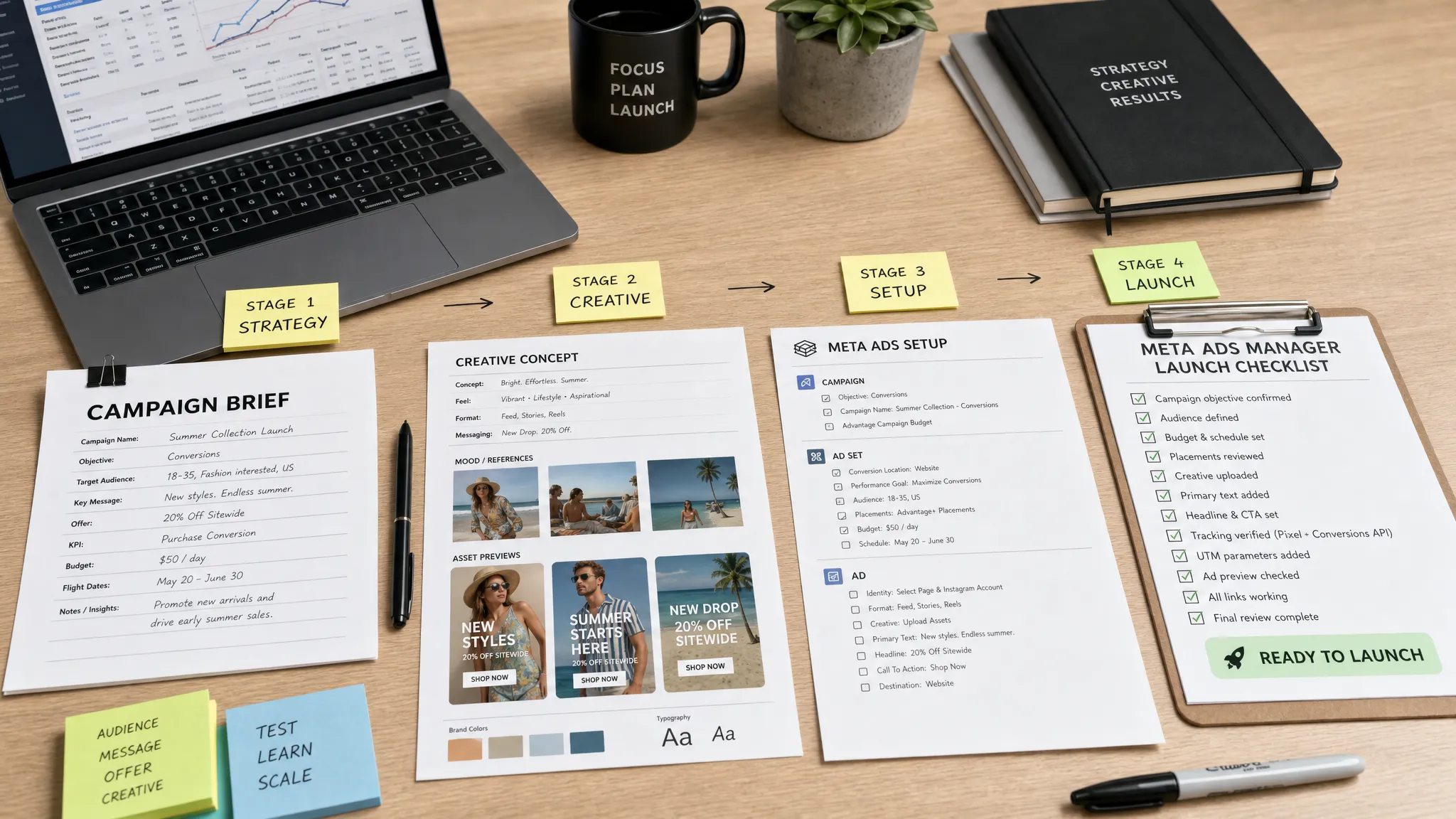
Prepare creative for Meta’s requirements before upload
Creative issues are one of the most common causes of delayed launches. Files are the wrong size, text is cropped in placements, the call to action does not match the landing page, or the ad copy risks a policy rejection.
Before launch day, prepare creative in the main formats you are likely to need. Meta’s Ads Guide is the best source for current placement specifications, because requirements can vary by objective and format. In practice, most agencies benefit from having square, vertical and feed-friendly versions ready before the build begins.
Policy review is just as important as sizing. Meta’s Advertising Standards include rules around prohibited content, personal attributes, misleading claims and restricted categories. If you work with clients in finance, health, employment, housing or other sensitive sectors, build extra review time into the process.
A faster creative process usually includes pre-approved copy variations. Instead of waiting for the client to approve one final ad, ask for approval on a small set of angles: benefit-led, social proof, offer-led and problem-solution. This gives the campaign builder flexibility without restarting the sign-off process every time a headline needs adjusting.
Use bulk editing, but only after the structure is right
Meta Ads Manager includes bulk editing and duplication features that can save a lot of time. They are useful for applying naming updates, schedules, budgets, placements, URL parameters and tracking settings across multiple ads or ad sets.
However, bulk editing is only fast when the underlying structure is clean. If campaign naming is inconsistent, audience setup is unclear or tracking parameters vary randomly, bulk edits can spread errors across the whole account.
A good rule is to build one version properly, QA it, then duplicate or bulk edit from that approved version. This reduces repetitive work while keeping quality control in place. Use filters and custom columns to check the fields you are changing, rather than relying on memory.
For agencies managing multiple launches, this is where process discipline pays off. A senior specialist can define the structure, then a trained team member can replicate it safely using the agreed framework.
Standardise UTMs and reporting fields
Many campaigns technically launch on time but create reporting headaches later. The ads go live, traffic arrives, then the team realises GA4 cannot clearly separate campaign types, creative tests or funnel stages.
Define UTM conventions before campaign build. Your Meta Ads Manager naming and your analytics naming should work together. If your agency reports by market, funnel stage, service line or creative concept, make sure those labels are reflected consistently in UTMs.
A simple UTM structure might include source, medium, campaign, content and term. The exact structure matters less than consistency. What matters is that the paid social specialist, analytics lead and account manager are using the same language.
If the client relies on GA4, CRM data or offline conversions, confirm how success will be judged before launch. A campaign that optimises for one event while the client reports on another can create confusion quickly, even if the build itself is technically correct.
Create a pre-launch QA checklist that catches expensive mistakes
Speed without QA is risky. The best agencies do not skip checks, they make checks faster and more repeatable.
A pre-launch checklist should be short enough to use every time but detailed enough to catch the issues that hurt performance or delay approval. It should be completed before the campaign is submitted, and ideally reviewed by someone who did not build the campaign.
| QA area | What to check | Why it matters |
|---|---|---|
| Access and billing | Ad account is active, payment method works and no account limits are blocking delivery | Prevents failed launch or immediate delivery issues |
| Objective and event | Campaign objective, optimisation event and attribution setting match the strategy | Avoids optimising for the wrong action |
| Budget and schedule | Daily or lifetime budget, start date, end date and time zone are correct | Prevents overspend, underspend or wrong launch timing |
| Audience | Locations, ages, exclusions, custom audiences and special category settings are correct | Reduces wasted spend and compliance risk |
| Creative | Assets display correctly across placements and copy matches the approved version | Prevents poor presentation and client disputes |
| URLs and UTMs | Landing pages load, tracking parameters are correct and forms or checkout work | Protects measurement and conversion flow |
| Policy risk | Claims, imagery and targeting comply with Meta rules | Reduces rejection and rework risk |
This table can be adapted into your project management tool or internal launch document. The important part is that QA is visible. If nobody owns the final check, mistakes become more likely.
Submit campaigns earlier than the client’s go-live time
If a client wants a campaign live at 9am, do not plan to build it at 8.30am. Submit the ads earlier where possible, using future start dates where appropriate, so there is time for review, corrections and final checks.
Meta ad review is not fully within your control. Even well-built ads can take longer than expected, particularly in regulated or sensitive categories. Launching faster means building a process that accounts for review time rather than pretending it does not exist.
For same-day launches, agree an internal cut-off time. For example, creative and brief assets must arrive by late morning if the client expects same-day submission. This protects your team from impossible expectations and helps account managers communicate clearly with clients.
A realistic same-day launch flow might look like this:
| Stage | Owner | Output |
|---|---|---|
| Brief check | Account manager | Complete launch brief and missing information flagged |
| Access and tracking check | PPC specialist | Confirmed assets, event and analytics setup |
| Campaign build | PPC specialist | Draft campaign built in Meta Ads Manager |
| QA | Senior reviewer or second pair of eyes | Launch checklist completed |
| Client approval | Account manager | Written sign-off on copy, creative, budget and dates |
| Submission | PPC specialist | Campaign submitted with agreed schedule |
This kind of workflow makes launch speed predictable. It also makes it easier to diagnose bottlenecks. If most delays happen at creative approval, that is a client process issue. If most delays happen at tracking, that is a technical readiness issue. If most delays happen in build QA, your templates may need improvement.
Keep a launch issues log
Every delayed launch contains useful information. Instead of treating each delay as a one-off problem, record what happened and why. Over time, patterns will appear.
Your launch issues log can be simple. Track the client, campaign type, planned launch date, actual submission date, delay reason and prevention action. After a month or two, you may discover that most delays come from the same three causes, such as missing Page access, late creative or unclear conversion events.
This gives agency leaders a practical way to improve operations. Rather than asking the paid media team to “be faster”, you can remove the blockers that slow them down.
Know when to bring in senior white-label support
Sometimes the issue is not process. It is capacity. If your agency has multiple Meta launches arriving at once, or a key paid media specialist is unavailable, even the best checklist will not create more hours in the day.
That is where white-label PPC support can help. PPC Ghost provides on-demand, senior-only paid media execution for agencies, including Meta Ads, Google Ads, Microsoft Ads and GA4 or tracking support. The service is designed to be white-label and anonymous, so your agency keeps the client relationship while experienced specialists help with delivery.
This can be especially useful when you need same-day turnaround, flexible scaling or expert support without recruitment, long-term contracts or added headcount. If your agency is also reviewing broader outsourcing options, you may find this guide useful: how to choose the right PPC company for your agency.
Frequently Asked Questions
How can agencies launch campaigns faster in Meta Ads Manager? Agencies can launch faster by collecting a complete brief upfront, confirming access and tracking early, using campaign templates, standardising naming conventions and running a repeatable QA checklist before submission.
How long does Meta ad review usually take? Meta says most ads are reviewed within 24 hours, but some reviews can take longer. Agencies should submit campaigns ahead of the desired go-live time rather than relying on immediate approval.
Should I use campaign templates in Meta Ads Manager? Yes, templates can save time, especially for repeat campaign types. However, every duplicated campaign still needs a full QA check for budget, dates, audiences, events, placements, URLs and creative.
What causes the most common Meta campaign launch delays? Common delays include missing permissions, inactive payment methods, unclear tracking, late creative, policy issues, broken landing pages and slow client approval.
Can a white-label PPC specialist help with Meta Ads Manager launches? Yes. A white-label PPC specialist can support campaign builds, tracking checks, QA and launch execution while your agency remains client-facing.
Need faster Meta launches without hiring?
If Meta campaign launches are stretching your team, PPC Ghost can help you add senior paid media capacity on demand. Get white-label Meta Ads support, flexible delivery and same-day turnaround when availability allows, without recruitment or long-term contracts.
Visit PPC Ghost to see how on-demand PPC support can help your agency launch faster while keeping the client relationship firmly in your hands.