Microsoft Ads Strategies UK Agencies Should Use
Discover Microsoft Ads strategies UK agencies can use to improve lead quality, cut wasted spend and add scalable PPC revenue in 2026.
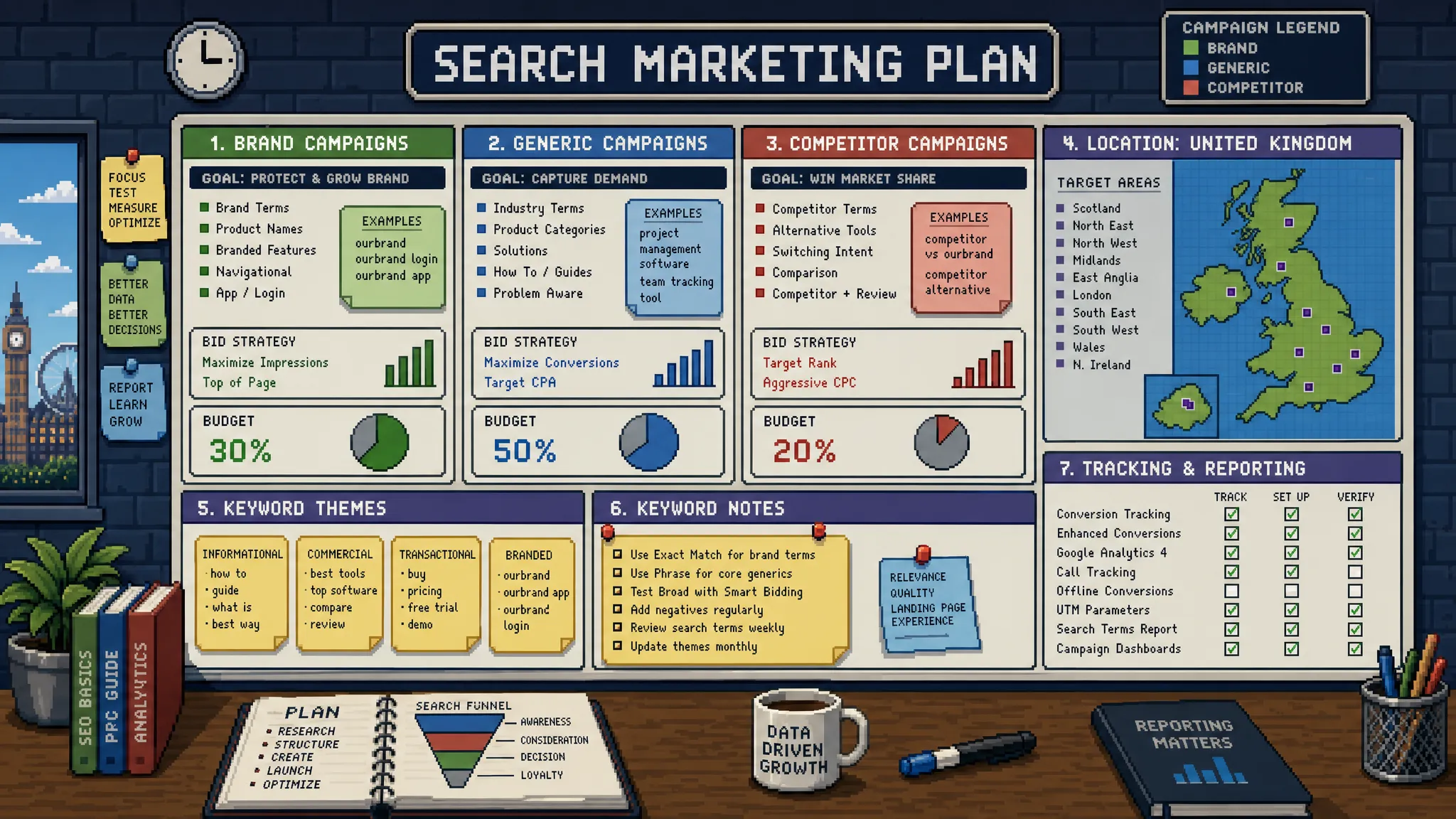
For many UK agencies, Microsoft Ads still sits in the awkward category of nice to have. Google gets the budget, Meta gets the creative attention, and Microsoft is often treated as a quick import job once the main account is live.
That is a missed opportunity. Microsoft Ads can add incremental search demand, reach different workplace audiences, and create profitable lead volume in sectors where Google CPCs are under pressure. It is not a replacement for Google Ads, and it should not be managed like a cloned Google account. The agencies that get value from it tend to treat it as its own channel, with its own targeting, reporting, and optimisation rhythm.
This guide breaks down practical Microsoft Ads strategies UK agencies should use when they want stronger performance, cleaner delivery, and a more convincing client story.
Why Microsoft Ads deserves more attention from UK agencies
Microsoft Ads, officially Microsoft Advertising, gives agencies access to search inventory across Bing and Microsoft partner properties, plus audience placements and useful B2B targeting options. For UK agencies managing lead generation, ecommerce, SaaS, professional services, finance, education, and local service accounts, it can be a valuable second search engine rather than a minor add-on.
The main advantage is not simply cheaper clicks. Lower CPCs are useful, but they are only valuable if conversion quality holds up. The better reason to use Microsoft Ads is that it can reach users who are not always identical to Google searchers. Many are browsing through Windows devices, Edge, Bing, Outlook, Microsoft Start, or work-connected environments, which can create a more professional skew in some categories.
UK agencies should position Microsoft Ads as an incremental performance layer. It can help when Google Ads is expensive, when search impression share is capped by budget, when clients want more lead volume without expanding too far into cold paid social, or when a B2B account needs tighter audience signals.
| Client type | Why Microsoft Ads can work | Main risk to manage |
|---|---|---|
| B2B services | Professional search behaviour and LinkedIn profile targeting options | Low lead volume if targeting is too narrow |
| Local services | High-intent search queries with potentially less competition | Poor location settings causing wasted clicks |
| Ecommerce | Extra shopping and search reach beyond Google | Feed quality and product margins still matter |
| SaaS | Useful for competitor, category, and problem-aware searches | Trial sign-ups can be low quality without offline tracking |
| Finance and legal | Expensive Google CPCs make incremental channels attractive | Compliance and lead quality must be tightly controlled |
Start with strategy, not a Google Ads import
The Google Ads import feature is helpful, but it should be treated as a shortcut for setup, not a strategy. Importing campaigns can save time, especially for large accounts, but it can also carry over problems that were hidden in the original account.
Before importing anything, agencies should review whether the Google Ads structure actually suits Microsoft Ads. A campaign that works on Google because it has massive search volume may be too fragmented on Microsoft. A Performance Max-heavy Google account may not translate neatly into Microsoft search, shopping, or audience campaigns. A broad match strategy that relies on Google’s machine learning may need tighter control when moved into a lower-volume environment.
The best approach is to import selectively, then rebuild where needed. Keep strong brand campaigns, high-intent exact and phrase keywords, proven ad copy themes, and negative lists. Reconsider broad match, automated bidding, campaign segmentation, audience settings, and location targeting before spending client budget.
Agencies should also check naming conventions during import. Microsoft Ads accounts often become messy because they are seen as secondary. That creates reporting friction later, especially if multiple account managers or white-label partners are involved. Campaign names should make channel, country, campaign type, match type, and client objective clear from day one.
Build around UK search intent
UK search behaviour has its own phrasing, geography, and commercial signals. A Microsoft Ads campaign that copies US-style keywords or generic Google terms can waste spend quickly.
For UK agencies, the first step is to separate intent into clear campaign groups. Brand, competitor, category, local, problem-led, and high-commercial-intent terms should not all sit in one campaign. This matters because Microsoft Ads may generate less volume than Google, so poor segmentation can make it harder to see which parts of the account deserve budget.
A strong UK search structure usually includes:
- Brand campaigns to protect demand and measure assisted conversions.
- Exact and phrase campaigns for high-intent service or product terms.
- Competitor campaigns only where the client has a strong comparison angle and acceptable compliance risk.
- Local campaigns for city, county, or regional searches where location changes buying intent.
- Negative keyword lists for jobs, courses, free, DIY, templates, complaints, and irrelevant research queries.
Avoid building too many tiny campaigns at the start. Microsoft Ads often needs enough data to make optimisation decisions, so agencies should balance clean segmentation with practical volume. If a campaign only receives a handful of clicks per week, it may be better grouped with similar intent until enough data is available.
Use LinkedIn profile targeting without over-narrowing
One of Microsoft Ads’ strongest differentiators is LinkedIn profile targeting. Agencies can layer company, industry, and job function signals onto search campaigns. This is particularly useful for B2B lead generation, recruitment, SaaS, consultancy, financial services, and enterprise technology accounts.
The temptation is to make targeting very narrow. For example, an agency might target only senior decision-makers in a specific industry and expect perfect leads. In practice, that can restrict volume too heavily and prevent the account from learning.
A better strategy is to use LinkedIn profile targeting as a bid adjustment layer first. Start by observing performance across relevant industries or job functions, then increase bids where conversion quality is stronger. This lets the agency gather data without choking traffic too early.
For B2B clients, agencies should define what a good lead actually means before applying these layers. A form fill from a director may not be better than a form fill from a manager if the manager owns research and vendor shortlisting. The targeting should support the sales process, not just match a simplistic buyer persona.
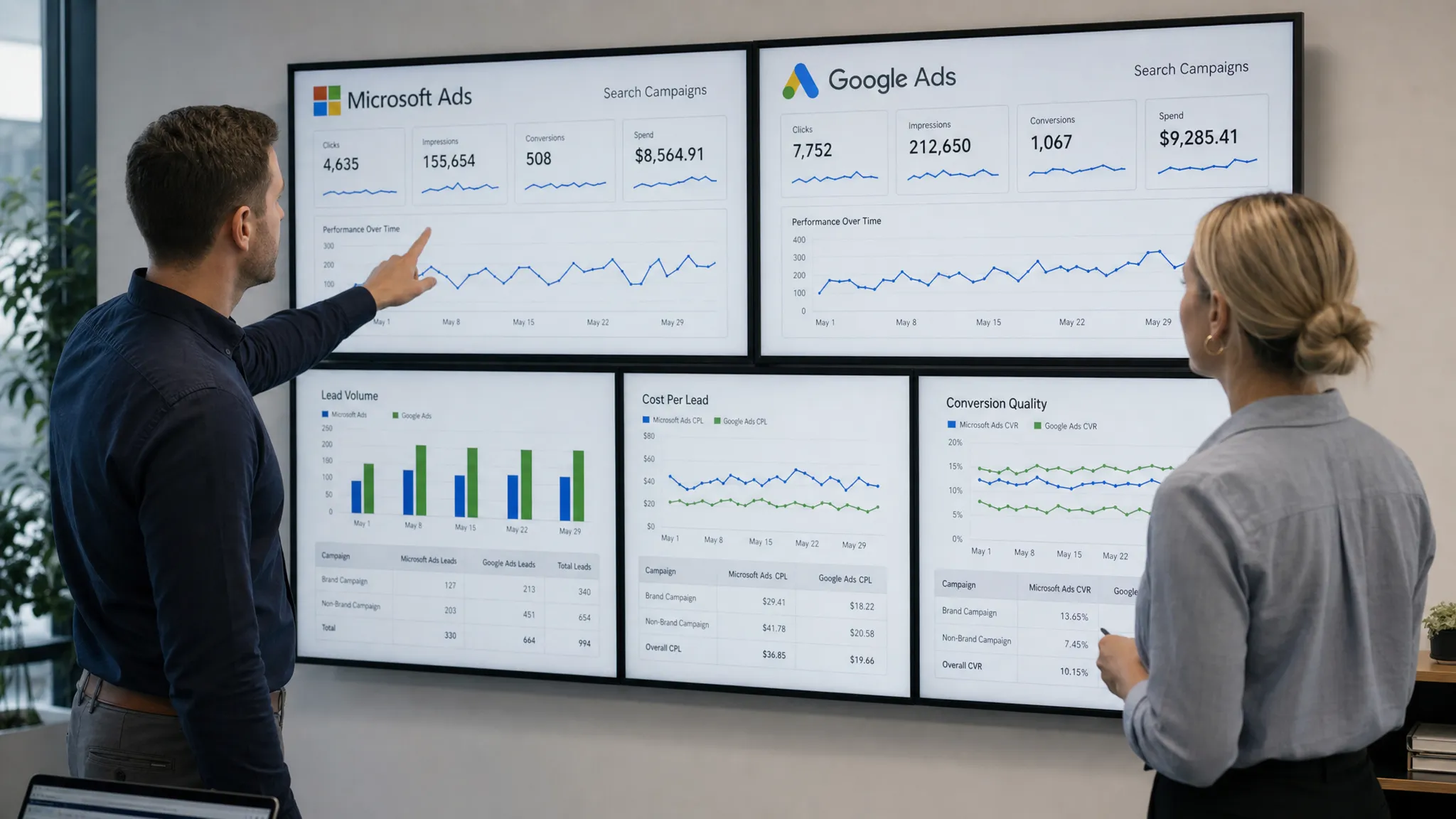
Separate brand, generic, and competitor performance
Microsoft Ads reporting becomes much more useful when agencies separate campaign intent clearly. Brand traffic will usually look efficient. Generic traffic is where growth and efficiency need to be judged more carefully. Competitor traffic can be valuable, but it needs its own expectations.
If these are blended together, clients may get a distorted view of performance. A campaign set can appear profitable because brand traffic is carrying the numbers, while generic keywords are quietly wasting spend. The reverse can also happen, where competitor campaigns are judged too harshly because they are compared against branded cost per lead.
A simple reporting split works well:
| Segment | Primary KPI | Secondary KPI | Client conversation |
|---|---|---|---|
| Brand | Impression share and cost per conversion | Search term coverage | Are we protecting existing demand efficiently? |
| Generic | Qualified cost per lead or sale | Conversion rate and search term quality | Which non-brand themes are scalable? |
| Competitor | Lead quality and assisted conversions | Cost per engaged visit | Is this conquesting activity commercially justified? |
| Retargeting or audience | Assisted conversions | Returning user rate | Does this support the wider funnel? |
This structure also helps agencies defend budget decisions. If Microsoft brand campaigns are performing well but generic campaigns need more time, the client can see the distinction instead of assuming the whole channel is good or bad.
Treat tracking as a delivery requirement, not an afterthought
Microsoft Ads optimisation is only as good as the conversion data it receives. Before launch, agencies should confirm that tracking is installed, tested, and aligned with the client’s sales process.
At a minimum, accounts should have the Microsoft UET tag implemented, primary conversions defined, and GA4 events checked against the ad platform. UTMs should be consistent with the agency’s wider naming system so Microsoft traffic can be compared fairly with Google, Meta, organic, email, and CRM data.
For lead generation, it is rarely enough to track form submissions only. Agencies should aim to pass back qualified lead, booked call, sales accepted lead, or closed sale data where the client’s systems allow it. Even a simple offline conversion upload process can make bidding and budget decisions more accurate.
UK agencies should also account for consent and privacy requirements. If cookie banners, tag firing rules, or analytics settings reduce tracked conversions, the client needs to understand that platform data may under-report results. This does not mean Microsoft Ads cannot work, but it does mean reporting should combine platform data, GA4, and CRM evidence where possible.
Optimise for lead quality, not just cheaper leads
Microsoft Ads can sometimes produce lower cost per lead than Google. That sounds good in a report, but it can become a problem if sales teams complain about quality. Agencies need to judge the channel on commercial value, not just form volume.
The most useful optimisation work often happens after the click. Look at landing page intent, form friction, phone call handling, CRM outcomes, and sales feedback. If a client sells high-value services, a slightly higher cost per lead may be perfectly acceptable if the leads are more qualified.
Search term reviews are especially important in Microsoft Ads because smaller budgets can be skewed by a few irrelevant queries. Agencies should review early search term data more frequently during the first month, then move to a weekly or fortnightly rhythm once irrelevant patterns are controlled.
Negative keywords should not be limited to obvious mismatches. UK agencies should also look for low-intent modifiers, student searches, job seekers, complaint searches, support queries, supplier research, and informational terms that are unlikely to convert.
Adapt bidding to the account’s data volume
Automated bidding can work well in Microsoft Ads, but it needs enough reliable conversion data. Agencies should avoid applying the same bidding model across every account just because it works elsewhere.
For new campaigns, manual CPC or enhanced CPC may still be useful when the account has little data and search terms need close inspection. Once conversion volume improves, Maximise Conversions or target CPA strategies can be tested, provided conversion tracking is clean and the conversion action reflects real value.
Budget pacing is also important. Microsoft Ads may spend differently from Google, especially in lower-volume niches. Agencies should not judge performance after a few days unless spend is high enough to make the data meaningful. Instead, set a test budget, define the learning period, and agree what success will look like before launch.
A practical testing framework might include a 30-day initial test for smaller accounts or a shorter test for higher-spend accounts. The key is to set expectations clearly. If a client wants immediate results, start with brand, exact match, and proven high-intent terms before expanding into broader campaigns.
Make landing pages match Microsoft Ads traffic
Many Microsoft Ads issues are blamed on the platform when the real weakness is the landing page. Search intent still needs a clear conversion path, fast page speed, strong proof, and a message that matches the query.
For UK agencies, landing page localisation can make a difference. UK spelling, local proof, sector-specific testimonials, relevant accreditations, clear contact details, and realistic calls to action all help build trust. A generic global page may convert, but a page that reflects UK buyer expectations is usually easier to optimise.
This is especially true for software and app-led clients, where the ad promise needs to connect to the product experience, onboarding flow, and launch credibility. If your agency works with funded founders or mobile-first businesses, reviewing how a premium mobile app development agency presents services, case studies, and launch support can help shape stronger landing page proof points for Microsoft Ads campaigns.
Agencies should also check mobile performance. Even if Microsoft traffic skews towards desktop in some B2B accounts, mobile clicks still matter. Forms, call buttons, page speed, and calendar booking tools should work properly across devices before campaigns scale.
Use Microsoft Ads for more than last-click conversions
Microsoft Ads is often evaluated too narrowly. If it does not beat Google Ads on cost per conversion in the first month, it gets paused. That can be short-sighted, especially in longer sales cycles.
For B2B, professional services, finance, SaaS, and considered ecommerce purchases, Microsoft Ads may assist conversions that happen later through direct, organic, email, or sales follow-up. Agencies should look at assisted conversions, returning user behaviour, CRM source data, and pipeline impact where possible.
This does not mean agencies should excuse poor performance. It means the reporting model should match the buying journey. A campaign driving high-quality first visits from relevant companies may be valuable even if the final conversion is recorded elsewhere.
The best client reports explain what Microsoft Ads is doing in plain English. For example, instead of saying CPC is down 18 percent, explain that the channel is generating incremental non-brand enquiries at a lower media cost than Google, but only two keyword groups are producing sales-qualified leads. That gives the client a decision, not just a metric.
Watch search partners and placement quality
Microsoft Ads can show ads across the Microsoft Search Network and partner sites, depending on campaign settings. This can increase reach, but it also means agencies need to review where traffic is coming from.
If performance looks inconsistent, segment reports by network where available and compare conversion rate, cost per conversion, bounce rate, and lead quality. Search partner traffic is not automatically bad, but it should earn its place in the account.
For audience placements, the same principle applies. Microsoft Audience Ads can be useful for remarketing or upper-funnel support, but they should not be mixed into reporting as if they are identical to search. Search captures intent. Audience campaigns create or re-engage demand. They need different KPIs and different expectations.
Build a repeatable agency workflow
The agencies that get the most from Microsoft Ads usually have a repeatable process. They do not rebuild from scratch every time, and they do not leave account setup to chance.
A simple workflow can include:
- Pre-launch review of the client’s Google Ads structure, tracking, CRM, and landing pages.
- Selective import or manual build based on volume, intent, and account complexity.
- Launch with conservative targeting, strong negatives, and clear conversion priorities.
- First-week checks for spend, tracking, search terms, disapprovals, and location accuracy.
- First-month optimisation focused on search terms, lead quality, device performance, and budget reallocation.
- Monthly reporting that separates brand, generic, competitor, and audience performance.
This workflow is especially useful for UK agencies that sell PPC as part of a broader marketing service. It reduces delivery risk, improves account consistency, and makes it easier to hand work between strategists, account managers, and external PPC specialists.
Common Microsoft Ads mistakes UK agencies should avoid
The biggest mistake is treating Microsoft Ads as a copy-and-paste version of Google Ads. The platforms are related, but they are not identical. Search volume, user behaviour, bidding, partner traffic, and audience options all need separate attention.
Another common issue is under-investing in the test. If the budget is too low, the account cannot produce meaningful data. If the test is too short, normal variation can be mistaken for failure. Agencies should give Microsoft Ads enough structure and time to prove whether it can work.
Agencies should also avoid reporting only platform conversions. If the client cares about booked appointments, qualified leads, pipeline, or revenue, those outcomes need to be part of the performance conversation. Otherwise, Microsoft Ads may be optimised towards cheap actions rather than useful ones.
Finally, do not ignore account hygiene. Negative lists, location settings, ad assets, tracking checks, search term reviews, and budget pacing are basic, but they are often the difference between a profitable secondary channel and a wasted add-on.
A simple Microsoft Ads plan for agencies
If your agency is adding Microsoft Ads to a client account for the first time, keep the plan focused. You do not need every campaign type on day one. You need a controlled test that answers whether the channel can produce useful demand.
| Stage | What to do | Success signal |
|---|---|---|
| Week 1 | Audit Google Ads, tracking, landing pages, and CRM goals | Clear launch structure and clean conversion setup |
| Week 2 | Launch brand and high-intent non-brand campaigns | Spend is controlled and search terms are relevant |
| Weeks 3 to 4 | Add negatives, review leads, adjust bids and budgets | Early cost per qualified lead is commercially plausible |
| Month 2 | Test LinkedIn targeting, competitor terms, or shopping where relevant | Scalable segments start to emerge |
| Month 3 | Refine bidding, reporting, and offline conversion feedback | Microsoft Ads has a defined role in the media mix |
This staged approach keeps expectations realistic. It also gives the agency a stronger client narrative: Microsoft Ads is not being tested because it is cheap, it is being tested because it may unlock incremental profitable demand.
Frequently Asked Questions
Is Microsoft Ads worth it for UK agencies? Yes, it can be worth it when clients have strong search intent, expensive Google Ads competition, B2B audiences, or a need for incremental lead volume. It works best when managed as its own channel rather than a direct Google Ads clone.
Should agencies import Google Ads campaigns into Microsoft Ads? Importing can save time, but agencies should review match types, budgets, bidding, tracking, ad assets, and location settings before launch. A selective import is usually safer than copying everything unchanged.
Does Microsoft Ads work for B2B lead generation? It can work well for B2B because of search intent and LinkedIn profile targeting options. The key is to track lead quality through CRM data, not just form submissions.
How much budget should a client allocate to Microsoft Ads? There is no universal amount. The budget should be large enough to generate meaningful search term and conversion data, while staying proportionate to the client’s overall PPC spend and commercial goals.
What should agencies report for Microsoft Ads campaigns? Agencies should report cost per qualified lead or sale, search term quality, brand versus non-brand performance, network performance, conversion rate, and CRM outcomes where available. Platform leads alone rarely tell the full story.
Need extra Microsoft Ads capacity without hiring?
Microsoft Ads can be a strong growth channel, but it still needs careful setup, tracking, optimisation, and reporting. If your agency wants to offer Microsoft Ads without recruiting, training, or stretching your internal team, PPC Ghost provides senior white-label PPC support on demand.
You keep the client relationship and the credit. PPC Ghost handles expert delivery across Google, Meta, Microsoft Ads, and tracking support with flexible, pay-as-you-go capacity for UK agencies.