Google Ads Account Access Issues That Delay Launches
Fix Google Ads account access delays with an agency checklist for admin rights, billing, tracking and launch blockers before campaigns go live.
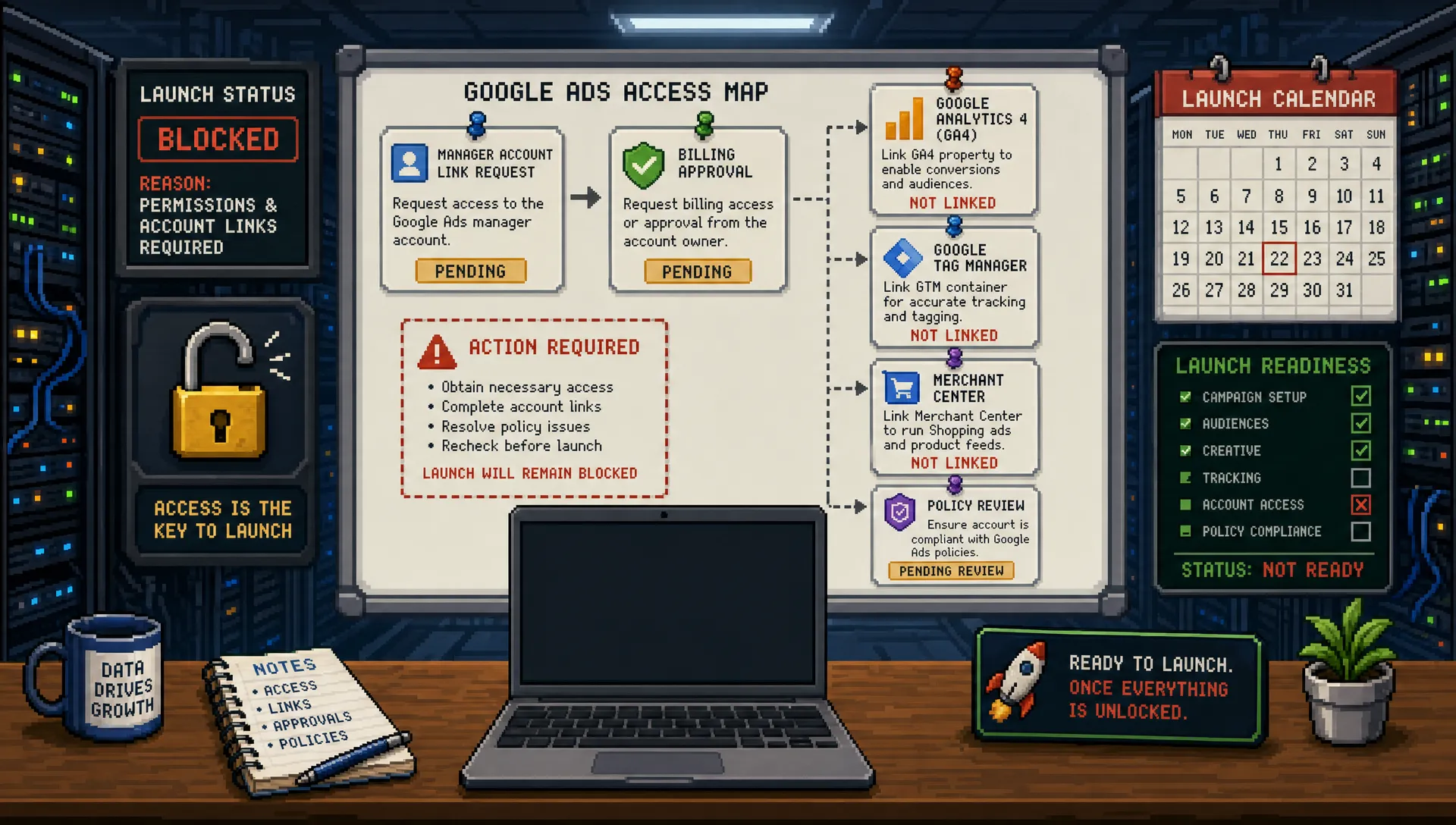
There is a particular kind of launch delay that every agency recognises. The media plan is approved, the client is excited, the landing page is ready, and the first reporting call is already in the calendar. Then someone asks for the Google Ads login, and everything stops.
Google Ads account access issues feel administrative until they become the only thing standing between your agency and a live campaign. For agencies, the cost is not just lost time. Delayed launches create awkward client conversations, compressed QA windows, rushed tracking checks and, in some cases, missed commercial targets.
The good news is that most access problems are preventable. They usually come from the same handful of gaps: the wrong email address, the wrong permission level, a manager account link nobody has accepted, billing that has not been approved, or tracking tools that sit outside the Google Ads account.
This guide breaks down the most common blockers, how they delay launches, and how agencies can build a cleaner access process before campaign work begins.
Why Google Ads account access delays happen
Google Ads is not a simple one-login platform anymore. A new campaign may depend on a Google Ads account, a Google Ads manager account, billing permissions, GA4, Google Tag Manager, Merchant Center, Business Profile, YouTube, consent settings and landing page access. If one piece is missing, the build may be incomplete or the campaign may not serve properly.
That is why access needs to be treated as part of launch readiness, not as a minor onboarding task. A strategist can write the plan without access. A PPC specialist may even build a draft in a separate workspace. But nobody can properly check conversion actions, apply tracking, validate billing, link assets or launch with confidence unless the right permissions are in place.
Google's own documentation on Google Ads access levels is a useful reminder that not all account access is equal. Admin, Standard, Read-only, Billing and Email-only permissions create very different levels of control. For an agency under time pressure, that difference can decide whether a campaign launches today or sits untouched until next week.
The access chain to confirm before build day
The safest approach is to map every platform the launch depends on before the client brief is marked complete. This is especially important for agencies running white-label delivery, outsourced PPC production or fast-turnaround projects where the person building the account may not be the same person managing the client relationship.
Use this as a practical access map during onboarding:
| Access area | What to confirm | Why it matters before launch |
|---|---|---|
| Google Ads account | Correct customer ID, active account status and identifiable admin owner | Prevents work being done in the wrong account or blocked by an unknown owner |
| Google Ads manager account | Agency manager link requested and accepted | Allows the agency to manage the account without sharing personal logins |
| User permission level | Standard or Admin access where appropriate for the people doing setup and QA | Read-only or Billing access will not allow full campaign build and optimisation work |
| Billing and payments | Valid payment method, invoice setup or payment profile confirmed | Campaigns may be ready but unable to serve if billing is incomplete |
| GA4 property | Access to relevant property, conversions and key events | Conversion quality cannot be checked from Google Ads alone |
| Google Tag Manager | Container access and publish rights where tracking changes are needed | Tags, triggers and consent checks may be impossible without container access |
| Merchant Center | Account access, feed status and Google Ads link if Shopping or Performance Max retail is included | Product campaigns can be delayed by feed, policy or linking problems |
| Linked assets | YouTube channel, Business Profile and audience sources where relevant | Some campaign types and assets need linked platforms before launch |
| Policy and verification | Advertiser verification, suspensions, disapprovals and account warnings | Policy problems often take longer to resolve than campaign setup itself |
This table should sit inside the agency's launch checklist, not inside a forgotten onboarding document. The person responsible for client communication should know exactly which items are still missing and which ones are launch-critical.
Common access issues that delay Google Ads launches
1. The invite goes to the wrong Google identity
This is the most ordinary blocker, and one of the most frustrating. The client invites an email address that is not connected to the specialist's Google account, or they invite a personal Gmail address when the agency needs Workspace access. Sometimes the invited user never receives the email because it lands with the wrong department, a former employee or a shared inbox nobody checks.
For agencies, the fix is simple but often overlooked. Always specify the exact email address that needs access, the required permission level and whether access should be granted directly or through the agency's manager account. Do not assume the client knows which address to use.
2. The agency is given read-only access
Read-only access can be useful for audits, but it does not launch campaigns. If the specialist needs to create campaigns, edit settings, upload assets, apply negative keywords, adjust conversion goals or troubleshoot setup problems, read-only access creates a false sense of progress.
This delay often appears late because the account looks accessible at first. The specialist can log in, review history and inspect the structure, but then discovers they cannot make the changes needed to finish the build. By then, the launch window may already be tight.
The access request should state the practical outcome, not just the platform name. For example, ask for access that allows campaign creation, editing, conversion review and launch QA. That gives the client a clearer reason for granting the right level.
3. The manager account link is pending
For agencies, the cleanest setup is usually to manage client accounts through a Google Ads manager account, historically known as an MCC. This avoids password sharing, keeps access centralised and makes it easier to remove or adjust permissions later.
The delay happens when the agency sends the manager link request, but nobody on the client side accepts it. Sometimes the person asked to accept it does not have admin rights. Sometimes the request is buried in the account. Sometimes the client does not understand why the agency is asking for a manager link instead of a direct user invite.
A good onboarding process explains this upfront. Tell the client who will send the request, which account it will come from, who needs to approve it and by when. If there is a hard launch date, make manager link acceptance a dated milestone rather than an open-ended task.
4. Nobody knows who the admin is
This is common in accounts that have passed through several agencies, freelancers or internal marketing managers. The current client contact may be paying for media, but they may not have the authority to add users, accept manager links or resolve security prompts.
When the admin is unknown, launches can stall for days while the client searches for old logins or contacts a previous agency. This is also where tension can rise, particularly if the previous supplier is slow to respond.
The best response is calm documentation. Ask the client to identify all known users, previous agencies and payment owners. If Google support is needed, use official support routes and provide account details clearly. PPC Ghost has a separate guide on whether there is a Google Ads support email for agencies, which is useful when stakeholders are tempted to search for a magic inbox instead of following the correct support flow.
5. Billing access is treated as someone else's problem
Billing is often separated from marketing, especially in larger organisations. The marketing team may approve the campaign, but finance controls the payment profile, credit card, monthly invoicing or spend limits.
This creates a painful scenario: the campaigns are built, tracking is checked, the client has approved go-live, and then the account cannot serve because billing is incomplete. In some cases, a payment issue appears only after campaigns are enabled, which makes the agency look less prepared even if the problem sits with the client.
Agencies do not necessarily need to control billing, and many should not. But they do need confirmation that billing is active, the payment profile is valid and any spend limits align with the approved budget.
6. Tracking access is missing
A Google Ads account can be accessible while the measurement setup remains locked away. This is one of the most damaging access gaps because it can lead to a rushed launch with unreliable conversion data.
If the campaign depends on GA4 conversions, enhanced conversions, Google Tag Manager changes, consent mode checks or imported events, the PPC specialist needs enough visibility to validate the setup. Otherwise, they may be forced to rely on screenshots, verbal confirmation or old assumptions.
Poor tracking access creates two risks. The first is delayed launch, because nobody can confirm that conversions are firing correctly. The second is worse: the campaign launches on time but optimises against broken, duplicate or low-quality data. If your agency is already juggling deadlines, this is where it helps to follow stricter PPC ads best practices for agencies under pressure rather than allowing speed to override measurement quality.
7. Merchant Center or product feed access is forgotten
For ecommerce campaigns, Google Ads access is only part of the job. Shopping and retail Performance Max campaigns may also depend on Merchant Center access, product feed health, policy approvals, shipping settings, tax settings and the link between Merchant Center and Google Ads.
A campaign can be built perfectly and still fail to launch if products are disapproved or the feed is not ready. This is why ecommerce access checks need to happen earlier than standard search campaign access checks. Feed problems are rarely fixed well in the final hour before launch.
8. Verification or policy issues are discovered too late
Account verification, advertiser identity checks, business operations questions, disapproved ads and account suspensions can all interrupt a planned launch. These are not always access issues in the narrow sense, but they often surface only once someone with the right access looks inside the account.
The lesson is simple: do not wait until build day to open the account. A pre-build inspection can identify policy warnings, old disapprovals, suspended products or verification prompts before the campaign timeline becomes unrealistic.
How to prevent access delays before the client signs off
The best agencies make access part of the sales-to-delivery handover. It should not be left to the PPC specialist to chase permissions after the client has already been promised a launch date.
Start by defining the access owner. This is the person on the agency side responsible for collecting permissions, checking that access works and escalating blockers. It does not have to be the PPC specialist, but it should be someone who understands which permissions are launch-critical.
Next, separate access requested from access verified. A client saying they have granted access is not enough. Someone needs to log in, check the customer ID, confirm the permission level, inspect linked accounts and record any missing items. This verification step is where many delays can be caught early.
Finally, set a clear cutoff. If access is not complete by a certain date, the launch date should be marked at risk. This is not about blaming the client. It is about protecting the agency from promising delivery when the operational prerequisites are not in place.
Here is a simple access request your account managers can adapt:
Hi [Name], to keep the Google Ads launch on track, please grant access before [date]. We need the correct Google Ads customer ID, approval of the manager account link from [agency name], suitable edit access for campaign setup, confirmation that billing is active, and access to GA4 and Google Tag Manager if tracking checks or changes are required. If Shopping or retail Performance Max is included, please also confirm Merchant Center access and feed status. Once access is verified, we will confirm whether the planned launch date is still achievable.
This kind of message does two things. It tells the client exactly what is needed, and it makes the launch dependency visible before anyone starts chasing at the last minute.
What to do when access is blocked on launch week
Even with a good process, access blockers still happen. The important thing is to avoid panic changes that create more risk than they solve.
Use this launch-week triage model:
| Situation | Best next move | What to avoid |
|---|---|---|
| Manager link pending | Ask the client to confirm the admin owner and accept the request while on a call if possible | Sending multiple duplicate requests with no clear owner |
| Wrong permission level | Explain the specific action blocked by the current role and request the correct level | Saying access does not work without showing what is blocked |
| Billing incomplete | Get finance or the payment owner involved immediately | Launching and hoping spend will begin later |
| Tracking access missing | Decide whether launch can proceed with current measurement risk documented | Quietly launching without telling the client tracking is unverified |
| Admin unknown | Build a list of current and previous account owners, then use official recovery or support routes | Creating a new account purely to bypass the problem without considering history and policy risk |
The key is to communicate in commercial terms. A client may not care about the difference between Standard and Admin access, but they will care that ads cannot launch, conversion tracking cannot be checked or budget cannot spend.
If the delay is caused by the agency's own capacity, not the client, be honest internally. Access chasing, QA and last-minute troubleshooting require experienced hands. If the same issue keeps happening across accounts, it may be one of the signs you need a Google Ads expert on demand rather than another process document.
Agency process checklist for cleaner launches
A strong access process does not need to be complicated. It needs to be consistent.
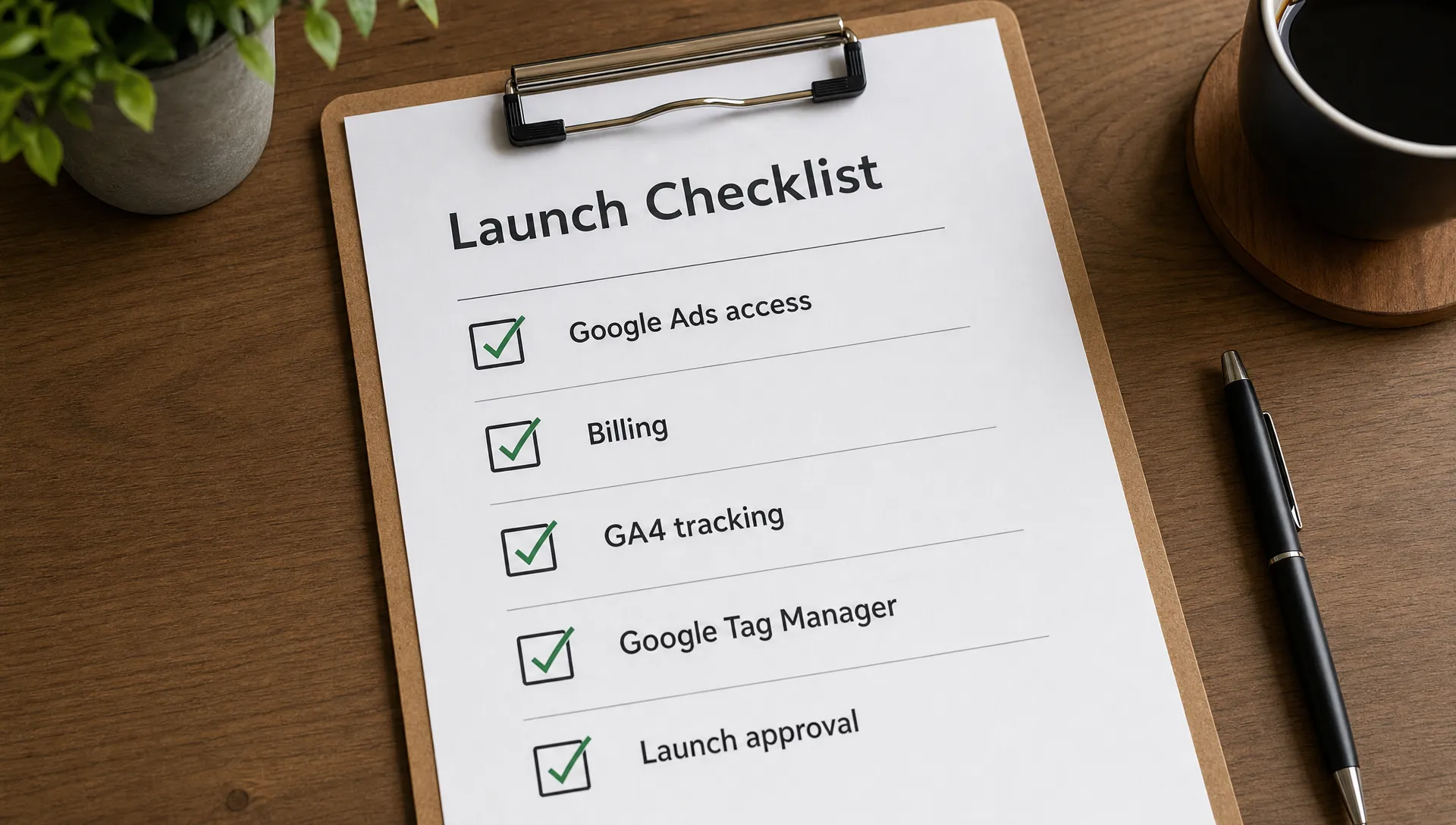
Before any Google Ads launch, your agency should confirm these items:
- The correct Google Ads customer ID has been recorded.
- The agency manager account link has been accepted.
- The PPC specialist has the permission level needed for build, QA and launch.
- Billing is active and aligned with the approved budget.
- GA4 and Google Tag Manager access has been checked where measurement work is required.
- Merchant Center and feed access have been confirmed for ecommerce activity.
- Policy warnings, disapprovals and verification prompts have been reviewed.
- The client understands that incomplete access can move the launch date.
This is not bureaucracy. It is risk management. Every unchecked access item is a potential delay, and every delay compresses the time available for proper campaign QA.
Frequently Asked Questions
What Google Ads account access level does an agency need to launch campaigns? In many cases, the person building and launching campaigns needs Standard or Admin access, depending on the tasks required. Read-only access is useful for audits but will not allow full setup, editing and launch work. Admin access may be needed for user management, linking and some account-level actions.
Can an agency use the client's login instead of being added as a user? It is better to avoid shared logins. A Google Ads manager account or named user access gives clearer accountability, better security and easier removal when the relationship changes.
Should the client or the agency own the Google Ads account? In most agency relationships, the client should retain ownership of the advertising account and grant the agency appropriate management access. This helps protect continuity if suppliers change. There may be exceptions, but ownership should be agreed clearly before launch.
Does GA4 access matter if the agency already has Google Ads access? Yes. Google Ads access does not automatically give full visibility or control over GA4, Google Tag Manager or website tracking. If conversions are imported, edited or validated through those tools, separate access may be required.
What should agencies do if the previous agency still controls admin access? Ask the client to contact the previous agency formally and request ownership transfer or admin access restoration. Document the request, identify any internal users who still have permissions, and use official Google support flows if needed.
Need senior PPC support without slowing the launch?
Access problems are often the first sign that a launch needs a more experienced PPC operator in the workflow. The build may be straightforward, but the account history, tracking setup, billing status and platform links need someone who can spot risks quickly.
PPC Ghost provides white-label Google Ads, Meta Ads and Microsoft Ads support for agencies that need senior execution on demand. If you need anonymous PPC help behind the scenes, without recruitment or long-term contracts, PPC Ghost can help your agency move from access chaos to cleaner launches.