Google Ads Optimisation Checks for Faster Wins
Use this Google Ads optimisation checklist to find faster wins in tracking, search terms, budgets, bids and ads without wasting agency time.
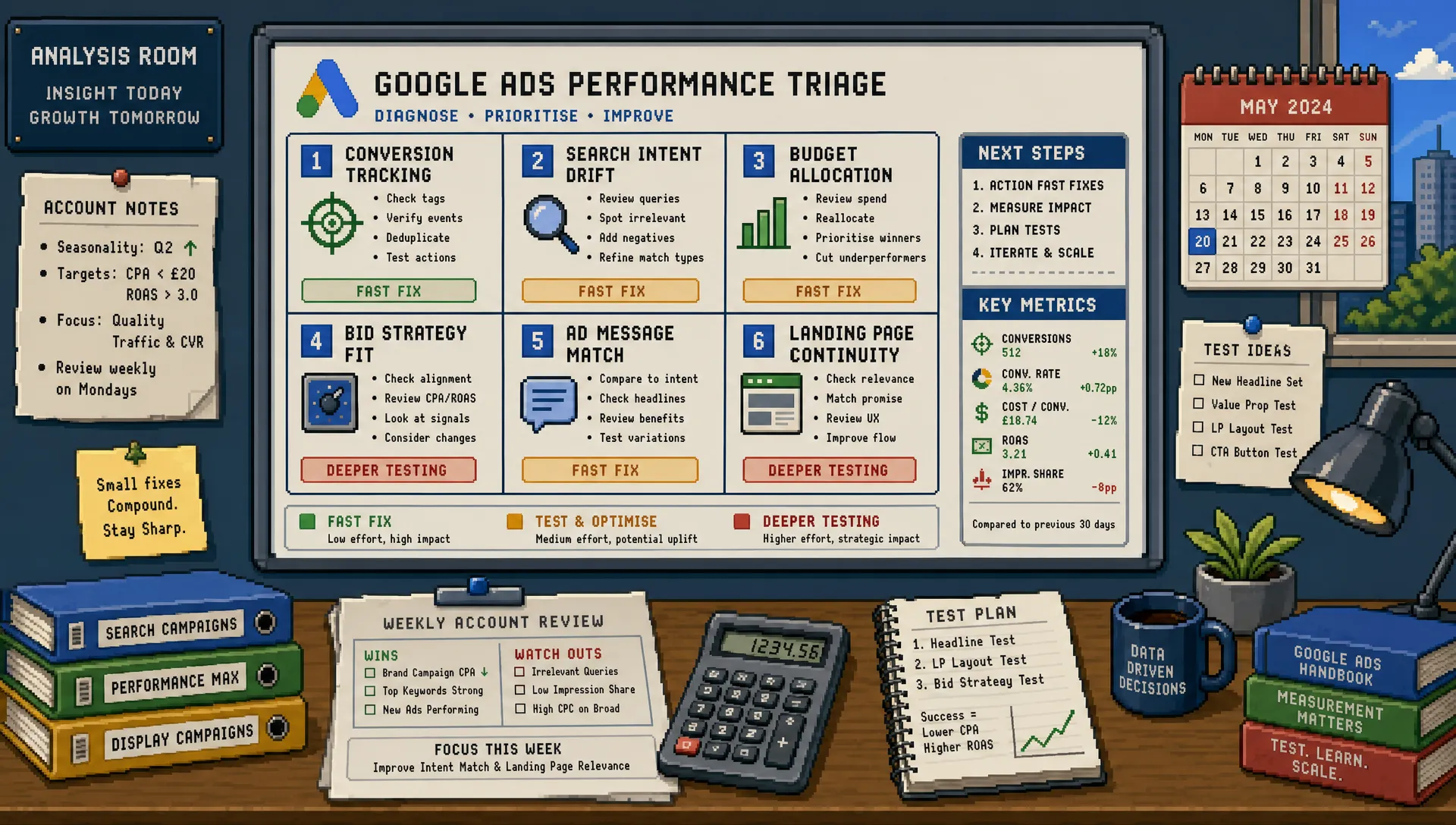
Fast wins in Google Ads rarely come from dramatic rebuilds. More often, they come from finding the few account issues that are quietly blocking performance today: weak conversion data, budget trapped in the wrong places, search terms drifting from intent, or ads that no longer match the landing page promise.
For agencies, this matters because client pressure usually arrives before there is time for a full strategic reset. You may need visible progress within days, not weeks. The right Google Ads optimisation checks help you separate urgent fixes from interesting distractions, so you can improve performance without turning every account review into a full audit.
Below is a practical workflow for faster wins. It is designed for live accounts where you need to make confident decisions quickly, protect client spend, and build momentum before moving into deeper testing.
Start with the outcome, not the interface
Before opening Google Ads, define what a “win” actually means for the client. Faster wins are only useful if they move the business in the right direction.
For one account, the priority may be reducing cost per lead. For another, it may be improving lead quality, protecting impression share on high-intent terms, or increasing ecommerce revenue from best-selling categories. If you optimise without confirming the target, you risk making tidy account changes that do not improve commercial performance.
A simple first check is to write down three things:
- The primary conversion action that matters most
- The acceptable cost per lead, cost per sale, ROAS, or margin target
- The campaigns most likely to influence that target in the next 7 to 14 days
This framing keeps the optimisation work focused. It also helps when you need to explain changes back to an account manager or client stakeholder.
Check conversion tracking before trusting any numbers
Conversion tracking is the first optimisation check because every other decision depends on it. If the account is optimising towards inflated, duplicated, or low-value conversions, better bidding and cleaner structure will not save it.
In Google Ads, review which conversion actions are set as primary. Primary conversions are used for bidding, so they should reflect meaningful business outcomes, not soft engagement events unless the account has a clear reason for using them. Form submissions, qualified calls, purchases, booked appointments, and quote requests usually deserve closer attention than page views or button clicks.
You should also compare Google Ads conversions with GA4, CRM data, ecommerce backend figures, or call tracking reports where available. The numbers do not need to match perfectly, as attribution models and reporting windows differ, but large gaps need investigation before major optimisation decisions are made.
Google’s own guidance on setting up conversion tracking is clear that conversion actions should reflect valuable customer activity. In agency accounts, the issue is often not that tracking is completely absent. It is that tracking has grown messy over time as new events, forms, landing pages, plugins, and consent tools have been added.
If conversion quality is uncertain, make your first win a measurement fix. It may not look glamorous in a client update, but it prevents the account from scaling the wrong behaviour.
Prioritise campaigns by spend and commercial risk
Not every campaign deserves equal attention. A campaign spending £50 per month cannot usually produce the same fast win as one spending £5,000 per month, even if it has obvious flaws.
Sort campaigns by recent spend, then overlay performance against the client’s target. You are looking for the highest-risk areas first: campaigns with meaningful spend, declining conversion volume, rising CPA, weak ROAS, or sudden changes in impression share.
This is where agencies can lose time. It is tempting to fix every naming inconsistency, tidy every ad group, or rewrite every asset. Those jobs may be worthwhile later, but faster wins come from prioritising the parts of the account where change will actually affect the next reporting period.
Use this quick triage table to decide where to start:
| Account signal | What it usually means | Fast optimisation response |
|---|---|---|
| High spend, poor CPA or ROAS | Budget is being used inefficiently | Review queries, bids, budgets, assets, and landing page fit first |
| High conversions, poor lead quality | The account may be optimising for volume over value | Check conversion definitions, search intent, forms, and offline feedback |
| Limited by budget on best campaigns | Strong demand may be capped | Reallocate budget from weaker areas before requesting more spend |
| Falling impression share on core terms | Competitors may be winning high-intent demand | Review bids, budgets, Quality Score signals, and auction insights |
| Automation learning with weak data | Smart bidding may not have enough reliable signals | Simplify goals, improve tracking, or narrow the optimisation target |
If wasted spend is the biggest issue, a deeper waste-focused review can help. PPC Ghost has a separate guide on PPC Google Ads tips that cut wasted spend fast, which pairs well with this faster-wins checklist.
Review search terms for intent drift
Search terms are still one of the fastest places to find account improvements, especially in lead generation campaigns. Even with modern match types and automation, the account can drift into searches that look relevant to Google but do not match the client’s buyer intent.
Start with the last 14 to 30 days, depending on volume. Look for terms that are spending without conversions, terms that suggest research rather than purchase intent, competitor terms with poor economics, or queries from people looking for jobs, templates, free advice, manuals, complaints, or support.
The goal is not to add hundreds of negatives in one sitting. Overly aggressive negatives can restrict useful discovery. Instead, focus on the clearest mismatches first, especially where spend is meaningful.
At the same time, look for terms that deserve more attention. High-converting queries can justify new exact match keywords, dedicated ad copy, stronger landing page alignment, or budget protection. Fast wins are not only about cutting waste. They are also about giving the best intent more room to perform.
Check whether budgets match performance
Budget misallocation is one of the simplest Google Ads optimisation checks, but it is frequently overlooked. Accounts often carry historical budget decisions that no longer reflect current performance.
Look for campaigns that are limited by budget while meeting targets. Then look for campaigns with poor efficiency that continue to receive a comfortable daily budget. If the client has a fixed monthly spend, the fastest win may be reallocating money rather than increasing it.
This is particularly important across mixed campaign types. Brand, non-brand search, Performance Max, remarketing, Shopping, Demand Gen, and competitor campaigns all behave differently. A blended CPA or ROAS can hide the fact that one area is doing the heavy lifting while another consumes budget with little return.
For ecommerce accounts, check product or category performance before shifting spend. For lead generation, check whether the campaigns producing the most conversions are also producing the most qualified enquiries. If CRM feedback is available, use it.
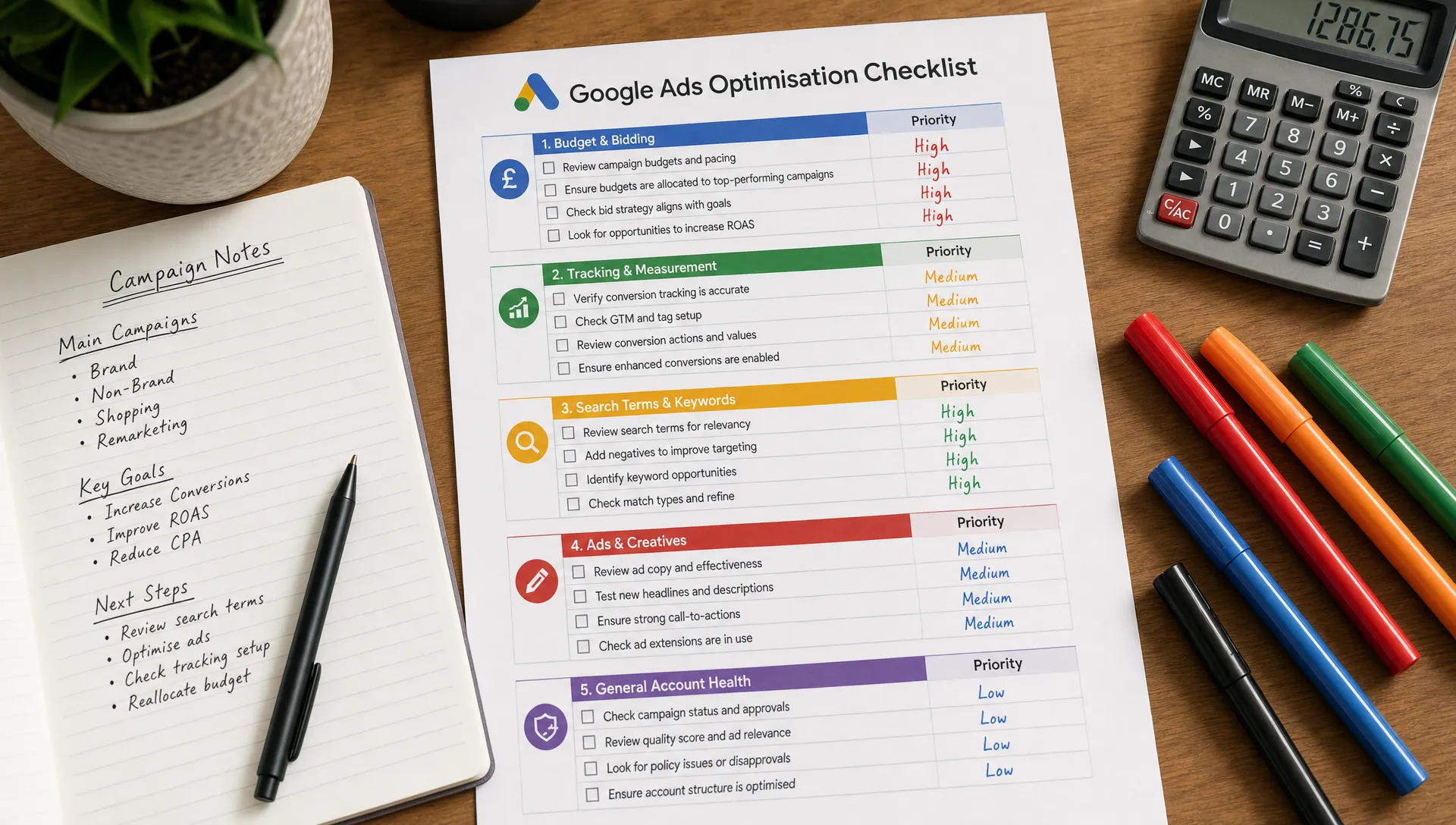
Look at bid strategy fit, not just bid strategy labels
Smart Bidding can perform extremely well, but only when the goal, data quality, and campaign structure support it. A fast optimisation check is to ask whether the current bid strategy still matches the account’s situation.
Target CPA may be sensible when conversion volume is stable and the CPA target is realistic. Target ROAS may work well for ecommerce when conversion values are accurate and enough data is available. Maximise conversions can help drive volume, but it can also overspend if the campaign has no efficiency guardrails. Manual CPC or enhanced CPC may still have a place in smaller or more controlled accounts, although many advertisers now rely heavily on automated bidding.
The issue is not automation itself. The issue is using automation with unclear goals or poor inputs. Google’s documentation on Smart Bidding highlights that these strategies use conversion and conversion value data to optimise bids. If that data is weak, the bidding system has weak signals.
Do not change bid strategies casually just because performance dipped for a few days. Instead, check for obvious mismatches: unrealistic CPA targets, recent tracking changes, too many primary conversion actions, major budget constraints, or recent structural edits that may have pushed campaigns back into learning.
Refresh ad assets where message match is weak
Ad copy and assets can decay quietly. Competitors change offers, landing pages are updated, pricing shifts, promotions expire, and client positioning evolves. If ads no longer reflect the strongest reasons to choose the business, performance can soften even when targeting is sound.
For responsive search ads, review asset strength, but do not treat it as the only measure of quality. The more important check is whether the ad answers the user’s intent clearly and leads naturally into the landing page.
Look for these quick opportunities:
- Headlines that mirror high-intent search themes more closely
- Descriptions that qualify the right users before they click
- Sitelinks that point to genuinely useful decision pages
- Callouts that reflect current proof points or service strengths
- Assets that remove friction, such as pricing, consultation, delivery, finance, or location information where relevant
Be careful with vague claims such as “best service” or “leading experts” unless the landing page backs them up. Specificity usually wins. A local service business, for example, may benefit more from a clear location, response time, or accreditation than from generic enthusiasm.
Check landing page continuity
A Google Ads account can be well structured and still underperform if the landing page breaks the promise made by the keyword and ad. This is one of the fastest checks because you do not need a full CRO project to spot obvious friction.
Click through the top-spending ads and ask whether the page immediately confirms the user is in the right place. The headline, offer, form, proof, and call to action should all support the intent that triggered the ad.
Common issues include sending all traffic to the homepage, promoting an offer that is hard to find on the page, asking for too much information too early, hiding trust signals, or using a mobile experience that loads slowly. For mobile-heavy accounts, test the journey on an actual phone, not just in a desktop preview.
Google’s Core Web Vitals and page experience concepts are not PPC-only metrics, but slow and clunky pages still affect paid media outcomes because they reduce the chance that paid clicks become enquiries or sales.
Do a quick Quality Score signal review
Quality Score is not a perfect KPI, and it should not be managed in isolation. However, its components can point you towards practical improvements: expected click-through rate, ad relevance, and landing page experience.
If important keywords have below-average ad relevance, the ad group may be too broad or the ad copy may not reflect the query closely enough. If landing page experience is weak, the page may not match the user’s intent or may create usability problems. If expected CTR is weak, the ad may need stronger differentiation, better qualification, or more relevant assets.
Use Quality Score as a diagnostic tool, not a vanity metric. The faster win is not “improve Quality Score” as a standalone task. The win is improving the user journey from search to ad to landing page.
Review locations, schedules, and devices for obvious leakage
Settings checks are not exciting, but they often reveal quick gains. Location targeting, ad schedules, and device performance can all create silent inefficiency.
For location targeting, confirm whether the account is targeting people in the chosen locations, or people interested in those locations. The right setting depends on the business, but for many local and service-area advertisers, presence matters. Review location reports for regions spending without meaningful returns.
For ad schedules, compare performance by hour and day. You may find that evenings generate cheap leads that never answer the phone, or that weekends spend heavily for low-quality enquiries. Do not cut time periods too aggressively without enough data, but do flag clear mismatches.
For devices, avoid assuming mobile is always better or desktop is always higher quality. Check actual conversion rate, CPA, ROAS, and lead quality by device. If call leads matter, mobile may be critical. If complex B2B forms matter, desktop may play a stronger role.
Check Performance Max and broad match guardrails
Performance Max and broad match can both produce strong results, but they need guardrails. If they are left unchecked, they can also blur where performance is coming from.
For Performance Max, review asset groups, listing groups, audience signals, search term insights, final URL settings, and performance by product or category where available. Make sure the campaign is not over-claiming success from brand demand or low-value conversions.
For broad match, check whether the account has enough conversion data and negative keyword discipline to support expansion. Broad match can be powerful when paired with Smart Bidding and strong tracking, but it can become expensive if the account is still unclear about what a valuable conversion looks like.
This is where experienced judgement matters. Some accounts need more freedom for machine learning. Others need tighter controls before automation can be trusted. If your agency is stretched, bringing in a Google Ads expert on demand can help you make those calls without committing to a permanent hire.
Separate fast fixes from test ideas
A strong optimisation process distinguishes between fixes and experiments. Fixes address things that are clearly wrong, such as broken tracking, irrelevant search terms, expired ad messaging, or budget stuck in poor-performing campaigns. Experiments test a hypothesis, such as whether a new landing page, bid strategy, campaign structure, or offer angle will outperform the current setup.
This distinction matters because fast wins should not create unnecessary volatility. If you change too many things at once, you may improve performance, but you will not know why. Worse, you may make results harder to explain to the client.
A sensible rhythm is to implement urgent fixes first, then choose one or two controlled tests with a clear success metric. For agencies managing multiple accounts, this also makes workload more predictable.
A 30-minute Google Ads optimisation checklist
When time is tight, use a short review sequence rather than jumping around the account. This keeps the work commercially focused and reduces the risk of missing something obvious.
| Time | Check | Decision to make |
|---|---|---|
| 0 to 5 minutes | Confirm primary goal and conversion actions | Are we optimising towards the right outcome? |
| 5 to 10 minutes | Sort campaigns by spend and performance | Which campaigns carry the most risk or opportunity? |
| 10 to 15 minutes | Review search terms and negatives | What intent should be blocked or promoted? |
| 15 to 20 minutes | Check budget allocation and bid strategy fit | Is spend flowing to the best opportunities? |
| 20 to 25 minutes | Review ads, assets, and landing page match | Does the journey match the user’s search intent? |
| 25 to 30 minutes | Check settings and document actions | What will be changed now, tested later, or escalated? |
This checklist will not replace a full audit, but it gives you a reliable first pass when an account needs attention quickly. For a broader view of operational pressure across paid media accounts, PPC Ghost’s guide to PPC ads best practices for agencies under pressure is a useful companion.
Document the “why” behind every change
Fast optimisation should still be accountable. Every meaningful change should have a short reason attached to it. This protects the agency if performance fluctuates, helps future reviewers understand the account, and makes client reporting easier.
A good note is simple: what changed, why it changed, and what you expect to happen. For example, “Reduced budget on Campaign A and moved spend to Campaign B because Campaign B has a 38 percent lower CPA over the last 30 days and stronger CRM feedback.” That is far more useful than “budget optimisation.”
This habit also prevents random optimisation. If you cannot explain why a change should improve the account, it may not be ready to make.
Frequently Asked Questions
How often should Google Ads optimisation checks be done? High-spend or volatile accounts may need checks several times per week, while stable lower-spend accounts may only need a structured review weekly or fortnightly. The right rhythm depends on spend, conversion volume, seasonality, and client expectations.
What is the fastest Google Ads optimisation win? The fastest win is usually fixing a clear mismatch: poor conversion tracking, irrelevant search terms, bad budget allocation, outdated ad copy, or a landing page that does not match the ad promise. The best first action depends on where the account is leaking the most value.
Should agencies change bid strategies during every optimisation review? No. Bid strategy changes can create volatility, especially when campaigns re-enter learning or targets shift too sharply. Review bid strategy fit regularly, but only change it when there is a clear reason supported by data.
Can Google Ads optimisation improve lead quality, not just lead volume? Yes. Lead quality can often be improved by tightening search intent, qualifying users in ad copy, refining landing page forms, excluding poor-fit queries, and importing better conversion data where possible.
When is a full Google Ads audit better than quick optimisation checks? A full audit is better when performance has declined over a long period, tracking is unreliable, the account structure is unclear, or the client is planning a major budget increase. Quick checks are best for immediate improvements and triage.
Need faster Google Ads wins without adding headcount?
Google Ads optimisation is easier when you have enough senior time available. For busy agencies, that is often the constraint. The account needs expert attention, but hiring, training, or reallocating internal resource is not always realistic.
PPC Ghost provides on-demand, white-label PPC support for agencies that need senior Google Ads, Meta Ads, Microsoft Ads, GA4, and tracking help without long-term contracts. Your agency keeps the client relationship, while experienced execution happens quietly in the background.
If you have an account that needs faster wins, start with the checks above. If the workload is bigger than your team can absorb, PPC Ghost can help you move from diagnosis to action quickly.